This feature is currently available only to customers participating in a Public Preview. For details, see Preview Program.
My Reports
The reports seen in your My reports page are the result of running the default reports in the Report library, then saving the results in one of three ways: Dynamic report (reruns for new data), a manual snapshot (point-in-time data), or a scheduled snapshot (auto-generated on a recurring basis).
Permissions Required: View Platform Reports (least), Manage Platform Reports or Administer Platform Reports (see Platform Permissions)
Shared Reports and Snapshots
Data from reports that are owned by you and shared with you are presented.
Shared with me is available for both Dynamic reports and snapshots. This is data that another user has shared with you. You can download, view, and unsubscribe from future shared reports and snapshots. For scheduled reports that are shared, you receive this email notification each time the report runs, until you unsubscribe.
Click Share on a report you own to shows a list of all shared users and the date shared. You can edit permissions or revoke access (requires confirmation).
Dynamic Reports
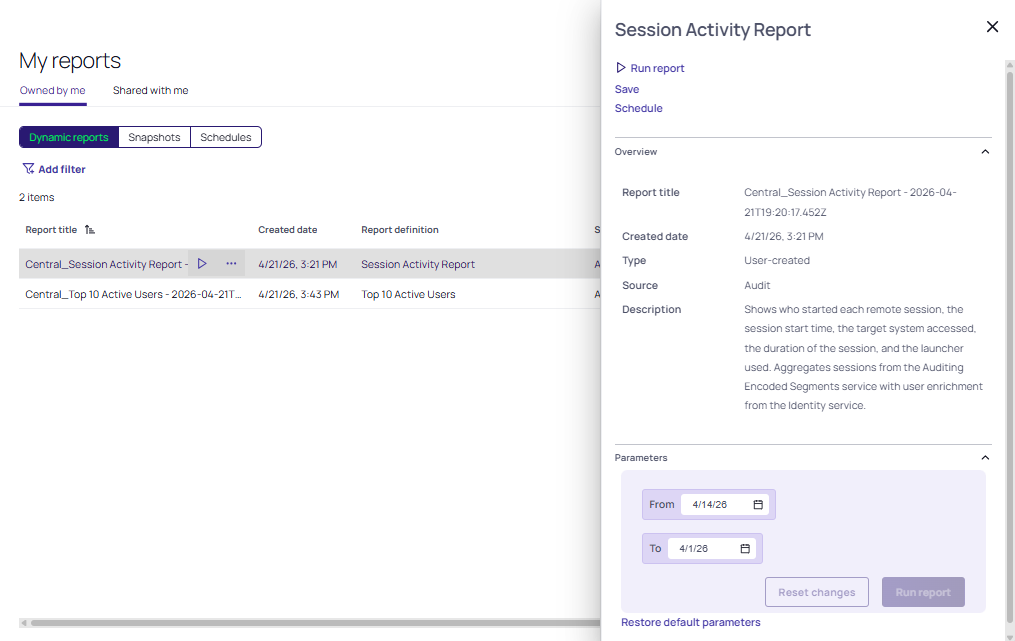
The Dynamic grouping of reports allow you to run Dynamic reports and manage them in your own library of reports. As indicated by the Owned by me filter, you can view any reports you have saved , in addition to any reports you have viewing rights to (Shared with me). The same options for running, scheduling, and saving a report are available. See Scheduling Reports. You can download, view, and share your reports.
Snapshots
Click Snapshots. As indicated by the Owned by me filter, you can view any snapshots you have saved, in addition to any snapshots created from reports that you have viewing rights to (Shared with me). You can download, view, and share your snapshots.
Schedules
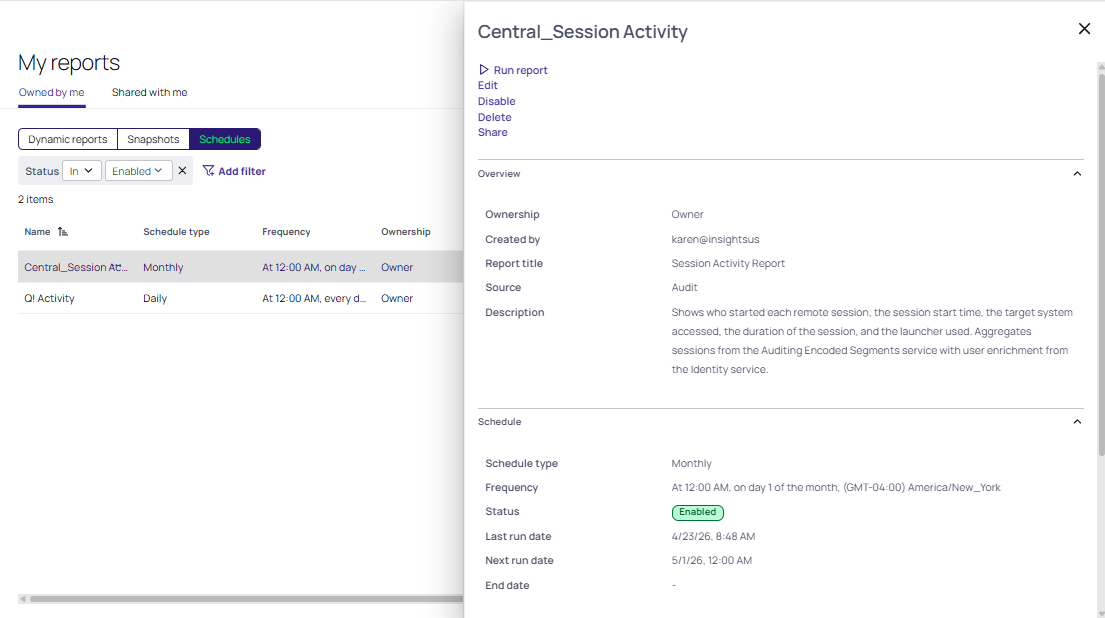
The My reports page displays scheduled reports and snapshots you have permission to view.
Dynamic reports cannot be shared with the View Platform Reports permission. Users with this permission cannot create or share reports. See Required Permissions
If you are the owner (Owned by me tab), you can run the report. See Report Library. You can also edit, disable, delete, and share the report.
If the scheduled report was shared with you (Shared with me tab), you can view the snapshot, download, and unsubscribe.
Resharing is conditional per the permissions set by the owner.