SailPoint IIQ Secret Template for RPC
Overview
This document briefly discusses using Secret Server Remote Password Changing (RPC) for the SailPoint IIQ Account as a regular user. With Remote Password Changing (RPC), secrets can automatically change remote account passwords when a secret expires, either immediately or on a defined schedule. In addition, the new passwords’ strengths and other qualities are completely configurable. See the Password Changer List for a complete list of available password changers.
Assigning a Password Changer to a Secret Template
Each secret template is application specific and is preconfigured with the password changer best suited to it. For SailPoint IIQ, please use the SailPoint IIQ Account template.
You can view and modify secret templates in the Secret Server administration panel. See Creating or Editing Secret Templates for more details on the available options. Ensure that the secret template is in the Active status. See Activating and Deactivating Templates for details.
To navigate to a SailPoint IIQ Account secret template:
-
Search for Secret Templates. The Secrets Administration page will be displayed.
-
In the Secrets section, select Secret Templates. The list of available templates will be displayed.
-
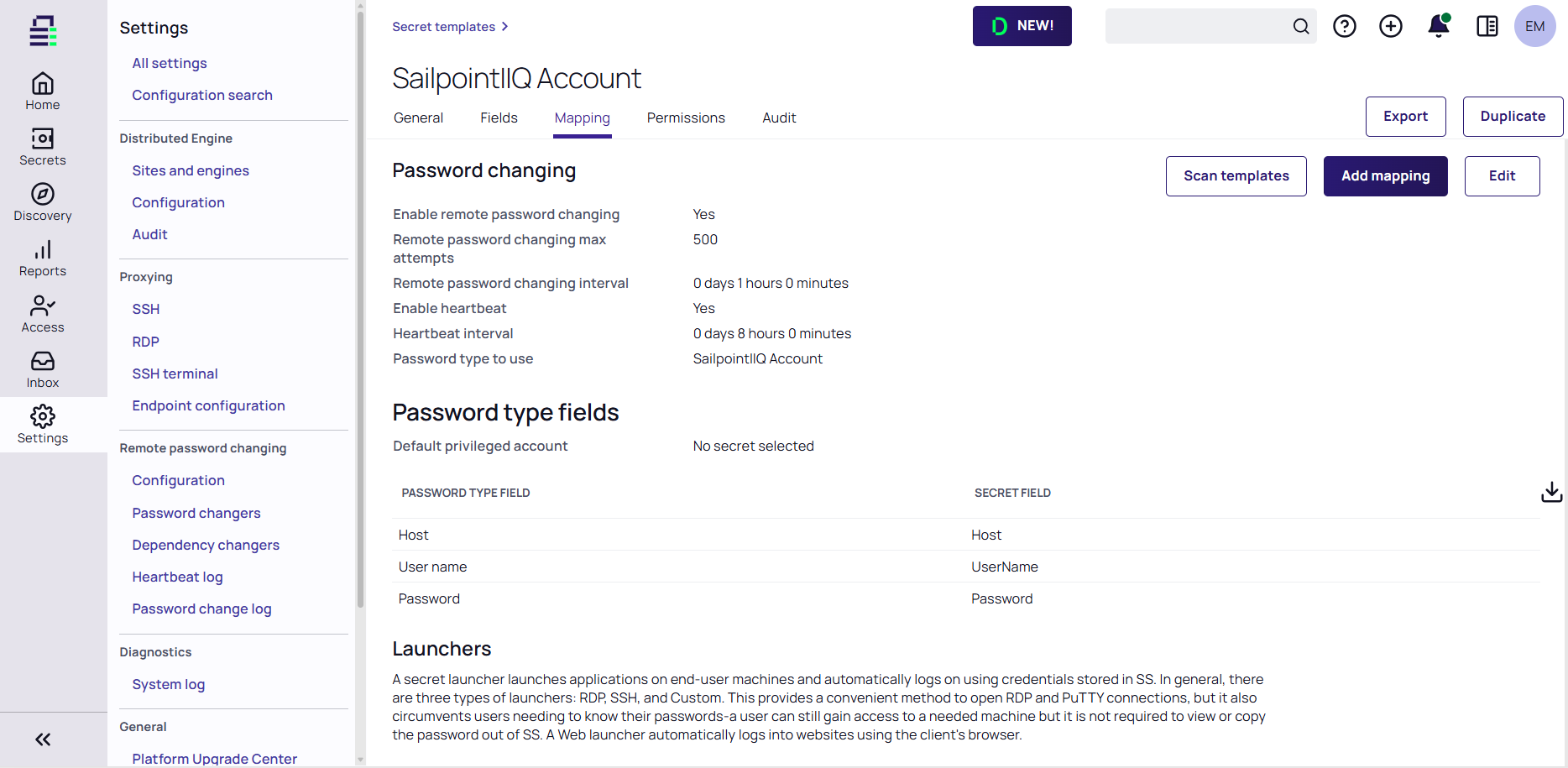
Select a SailPoint IIQ Account secret template and then access the Mapping tab.
You can check what secret template conforms to the selected RPC. The screenshot below shows that the SailPoint IIQ Account RPC conforms to the selected secret template. It is possible to assign several password changers to one secret template. For more information, see Assigning a Password Changer to a Secret Template
Secret templates determine the fields, launchers, and the remote password changer for secrets. To utilize the SailPoint IIQ Account template on a secret, see Managing Secrets.