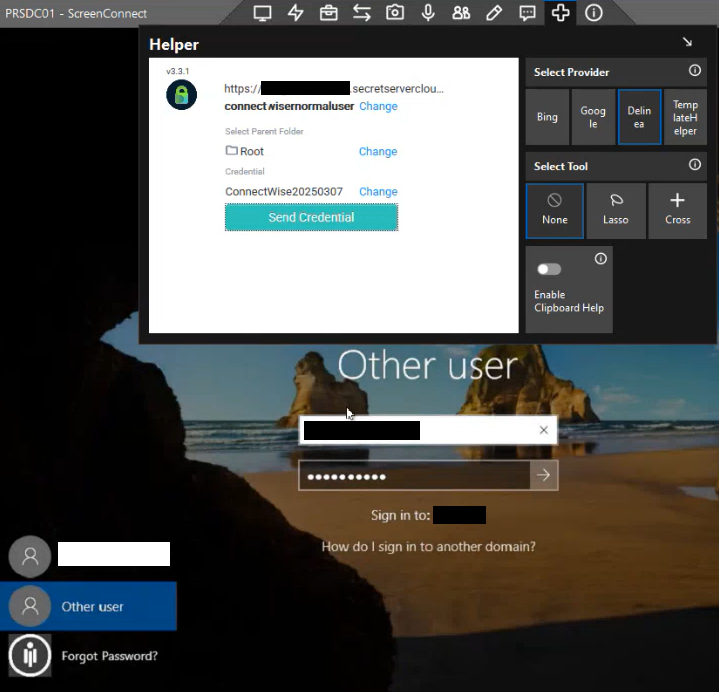
Verification
This topic provides steps to verify that the integration of ConnectWise ScreenConnect with Delinea Platform works.
You can verify that you can:
- Select the folder on Secret Server on Delinea Platform that contains the secrets you want to use.
- Search for and select a secret inside a folder.
- Select a different secret to use.
- Retrieve the username and password from a secret and log in to the connected remote machine with these credentials.
The following steps describe how to verify these things.
To select the folder with the secret you want to use:
-
Connect to the remote machine from your ScreenConnect instance and in the Helper window on the remote machine, connect to your Delinea Platform instance by providing the URL of the Delinea Platform instance and the credentials of the Delinea Platform service user or local user that you use for the integration.
For detailed steps for how to connect to a remote machine from ScreenConnect and how to connect to your Delinea Platform instance from the remote machine, see Configuration.
-
In the Helper window, select Select Folder and under Select Parent Folder, expand the Root folder in the lower box and select the folder that contains the secret.
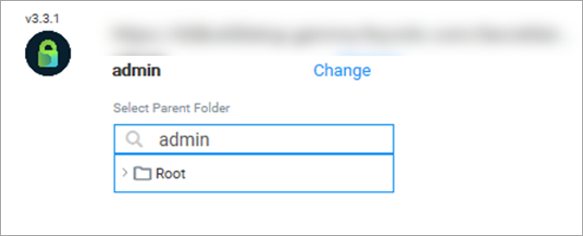
To change the folder, select Change next to the folder name, expand the Root folder, and select the folder in the folder tree.
To search for and select a secret:
-
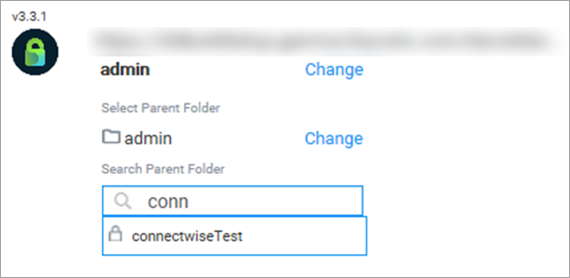
Under Search Parent Folder, in the upper box, enter a full or partial secret name to retrieve a list of matching secrets in the lower box, as shown. Select the secret.
-
The search for secrets is limited to the selected folder unless you select the Root folder. In that case, the search will look for a secret in the entire system.
-
To select a different secret, select Change next to the secret name, expand the Root folder, and then select the secret in the folder tree.
-
To retrieve the credentials from a secret and use them to log in to the remote machine:
-
At the top of the desktop on the remote machine, select the Ctrl+Alt+Del link to open the user name and password boxes for the selected user on the machine.
If you're logging in as a local user on the remote machine, only the password box appears, and only the user's password will be retrieved from the secret.
-
In the Helper window, select Send Credential to insert the user name and the password from the secret into the respective boxes.