Configuration
To enable the integration between Yubico and the Delinea Platform, complete the following task:
Configuring Delinea Platform
-
Log in to the Delinea Platform as an administrator.
-
Navigate to Settings > MFA and security > Authentication Profiles. For more information, see Setting Up Authentication Profile.
-
Create a new profile or edit an existing profile to enable FIDO2, WebAuthn, or OTP authentication.
-
Navigate to Access > Users and access the Policy summary tab, and in the Authentication Settings section to assign the profile to the appropriate users or assign it to a group by accessing the Group tab.
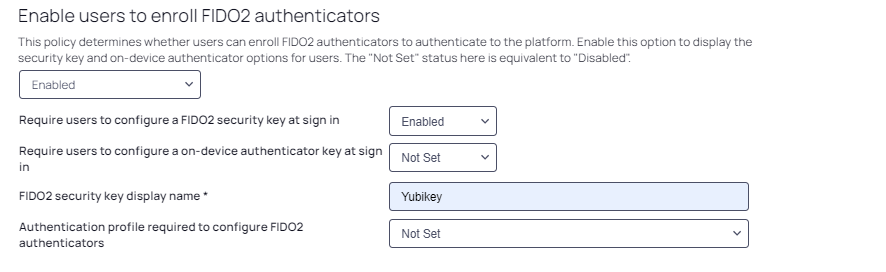
Verify that the Authentication Profile required to configure FIDO2 authenticators field is set to Not Set.