Configuration
To enable the integration between CrowdStrike Falcon Fusion SOAR and Secret Server, complete the following configuration tasks:
Configuring the Delinea Secret Server
To configure Secret Server for the integration with CrowdStrike Falcon Fusion SOAR, complete the following tasks:
Creating an Application Account in Secret Server
The integration requires an application account in Secret Server. CrowdStrike Falcon Fusion SOAR uses the credentials of the application account to authenticate to the Secret Server API. The application account must have the Administrator role in Secret Server.
To create an application account and assign the Administrator role to the application account:
-
Log in to Secret Server with admin credentials.
-
Search for users.
-
On the Users page, select Create User.
-
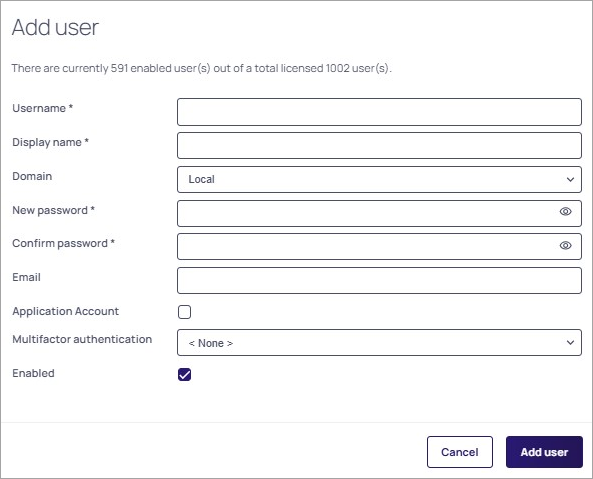
On the Add User page, provide Username, Display Name, and Password.
-
Select the Application Account checkbox and make sure that the Enabled checkbox is selected.
-
Select Add User.
-
On the Users page, select the newly created application account and go to the Roles tab.
-
On the Roles tab, select Edit.
-
Search for administrator, select the checkbox next to the Administrator role, and select Save.
(Optional) Enabling Action-Specific Settings
If you want to use the Update User and Sync Active Directory actions in this integration, you must enable the following additional configuration settings in Secret Server:
-
Enable Unlimited Admin Mode for the Update User action.
-
Enable Directory Services for the Sync Active Directory action.
To enable the action-specific settings:
-
Enable Unlimited Admin Mode:
-
Log in to Secret Server with admin credentials.
-
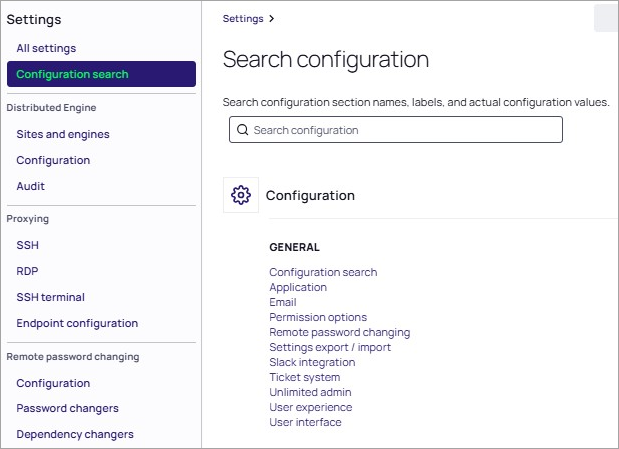
Navigate to Settings > Configuration Search > General > Unlimited admin.
-
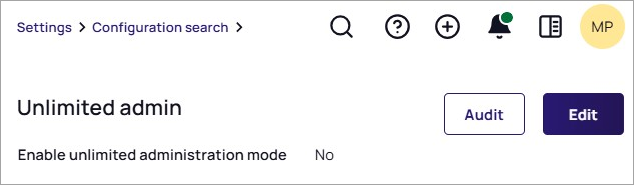
Select Edit.
-
Select the Enable unlimited administration mode checkbox.
-
Select Save.
A green sticker denoting the mode change appears at the top of the screen.
-
-
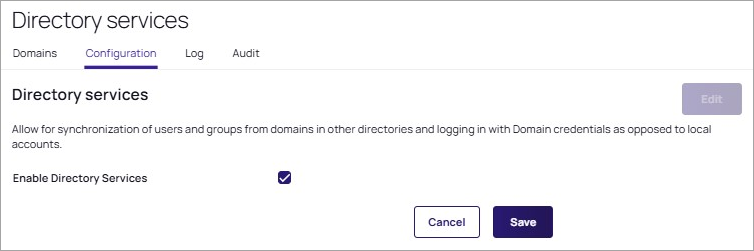
Enable Directory Services:
-
Navigate to Access > Directory Services.
-
Go to the Configuration tab.
-
Under the Directory Services section, select Edit.
-
Select the Enable Directory Services checkbox to enable the setting.
-
Select Save.
-
You can enable or disable these configuration settings at any time.
Configuring CrowdStrike Falcon Fusion SOAR
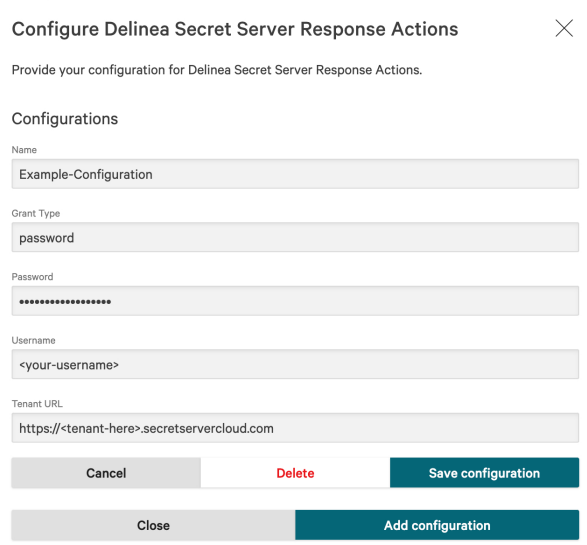
To configure CrowdStrike Falcon Fusion SOAR for the integration with Secret Server, provide the configuration for Secret Server response actions to the CrowdStrike Falcon platform.
To provide the Secret Server response actions configuration:
-
In the Falcon platform, navigate to the Delinea Secret Server SOAR Actions app listing in the Content Library.
-
Select Configure and then select Add Configuration.
-
Complete the following fields:
-
Name: Choose a descriptive name for the configuration.
-
Grant Type: Enter password to specify the type of authentication.
-
Username and Password: Enter the username and password of the application account configured in Delinea Secret Server.
-
Tenant URL: Enter the full Secret Server tenant URL to connect the integration to the correct Secret Server instance.
-
-
Select Save configuration.