User Setup
This section is performed once by the user.
-
In Slack, in the sidebar, select Apps.
-
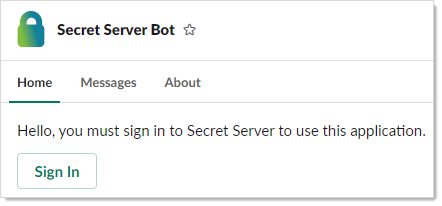
Add the Secret Server Bot application and the Secret Server Bot popup displays.
-
Click Sign In to log on. This launches a Web browser window to your Secret Server instance for you to log in. After you login or if you are already logged on, the All Secrets page displays.
-
Close the browser window (optional).
-
The Secret Server Bot Home tab will display. It may or may not have the sections (My Pending Requests, Approval Requests, or Recent Secrets).
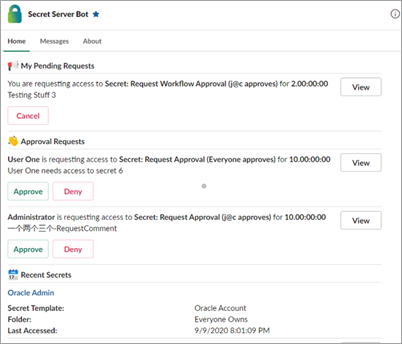
You can log off Secret Server at the bottom of the Home tab.


