Configuring RPC in Secret Server
Before changing the RPC for your template, you should create an appropriate secret for ServiceNow.
Creating a secret for ServiceNow
To create a new ServiceNow secret in Secret Server:
-
Log into the Delinea Secret Server Cloud.
-
On the main page, select Create Secret.
-
In the Choose a Secret Template field, type "ServiceNow Account" and select it. Then, provide the ServiceNow host, username, and password information.
-
Select Create Secret once again.
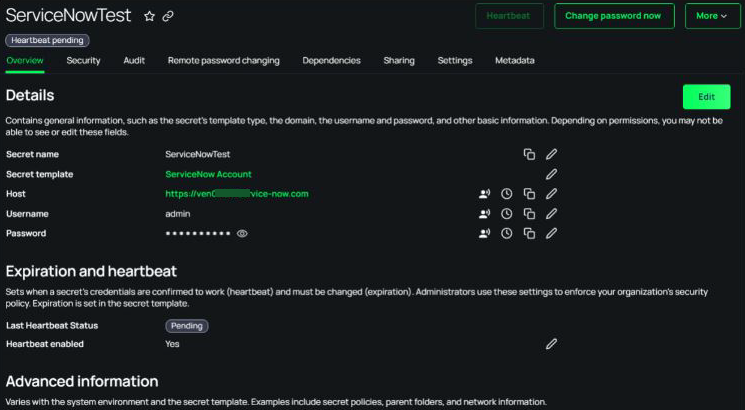
Running Heartbeat for ServiceNow RPC
To check the heartbeat status:
-
Go to the Overview tab.
-
Select Heartbeat to check for updated.
If the heartbeat is successful, the status will change from "Pending", which is the initial status of any newly created secret, to “Verified”.
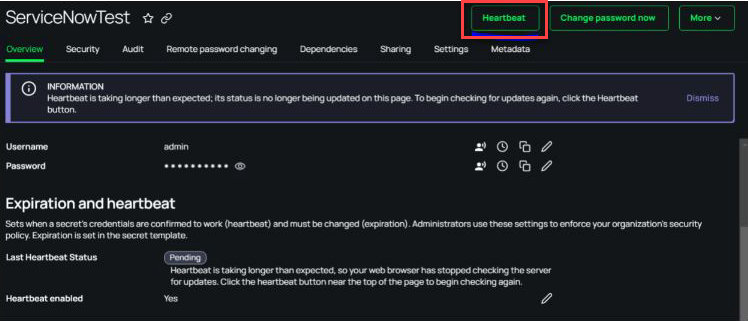
Changing password for ServiceNow
To change the password remotely:
-
On the Overview tab, select Change Password Now. The Change password page opens.
-
Select one of the available options from the Next password dropdown menu:
-
Manual
-
Randomly Generated
If you choose Manual, enter the new password and select Change Password.
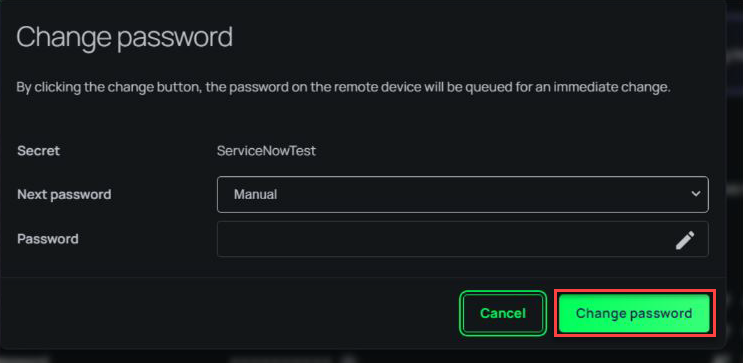
-


