Logging In to the SCIM Connector
You can log in to the Delinea SCIM Connector in two ways:
-
Through Secret Server. You can use the URL of your Secret Server instance and the Secret Server administrator's username and password to log in the SCIM Connector. When logging in, you can choose to use either a domain account or a local account.
-
Through the Delinea Platform. If Secret Server is configured on the Delinea Platform, you can use your platform account to log in to the SCIM Connector. For details about configuring Secret Server on Delinea Platform, see Account Permissions.
Logging In to SCIM Connector Through Secret Server
To log in to the SCIM Connector through Secret Server:
-
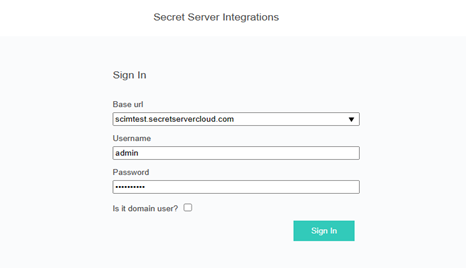
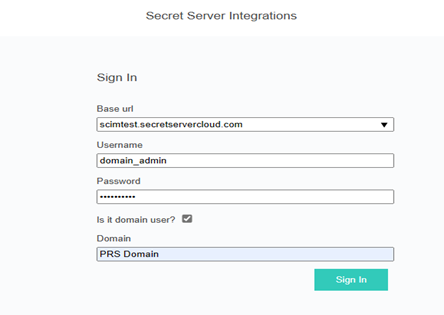
In the Sign In page, enter the URL of your Secret Server instance in the Base url box and provide the Secret Server administrator's username and password.
-
Select the Is it domain account? checkbox and enter the domain name into the text box. For local accounts, clear the Is it domain account? checkbox.
-
Select Sign In.
The images below show that the Sign In page allows using a domain account or a local account.
Using a Domain Account
Using a Local Account