Setup
The Delinea Unified Integration for XSOAR can be installed in two ways:
Method 1 — Install From Palo Alto Marketplace (Recommended)
-
Log in to XSOAR.
-
Open Marketplace.
-
Search for Delinea SS.
-
Click Install.
After installation:
-
Navigate to Settings > Integrations > Instances.
-
Search for Delinea and add an instance.
-
Click Add Instance to configure the Secret Server connection.
-
Fill in Name, Server URL, Username, Password or Credential and click Test.
-
The instance will appear under Instances.
-
Method 2 — Manual Upload (Offline Installation)
Used when your XSOAR server cannot access the Palo Alto Marketplace or when installing a specific plugin version.
-
Download the latest Delinea Unified XSOAR Integration Plugin, which includes support for both:
-
Delinea Secret Server
-
Delinea Platform
-
-
Upload the Integration to XSOAR:
-
Log in to your XSOAR Server URL.
-
Navigate to Settings > Integrations > Instances.
-
Click Upload Integration.
-
Select the XSOAR-DelineaUnified.yml file.
-
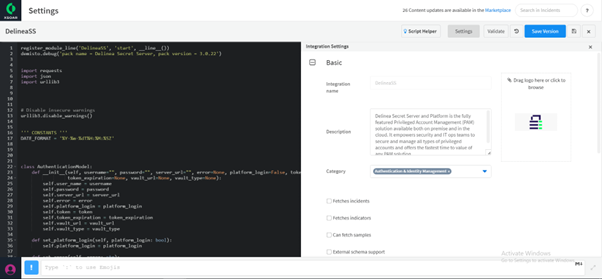
Click Save Version.
-
Click Update Integration when prompted.
-
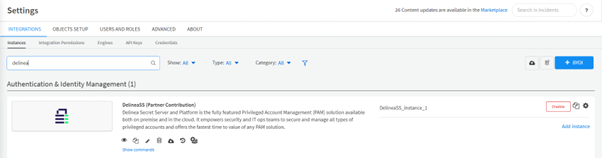
The integration will appear under Settings > Integrations > Instances.
-
Search for Delinea to locate the integration.
-


