Setup
-
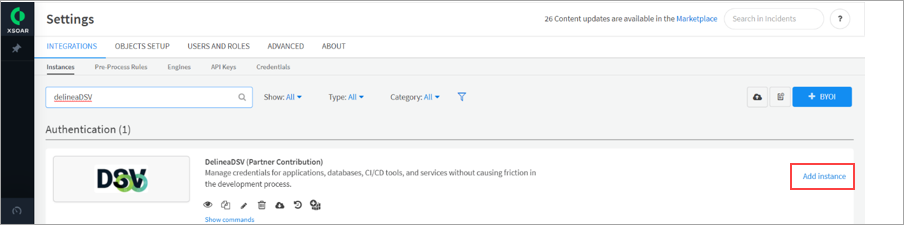
In Delinea DSV integration, set up an instance of DevOps Secret Vault to make the connection to it. Click on Add Instance.
-
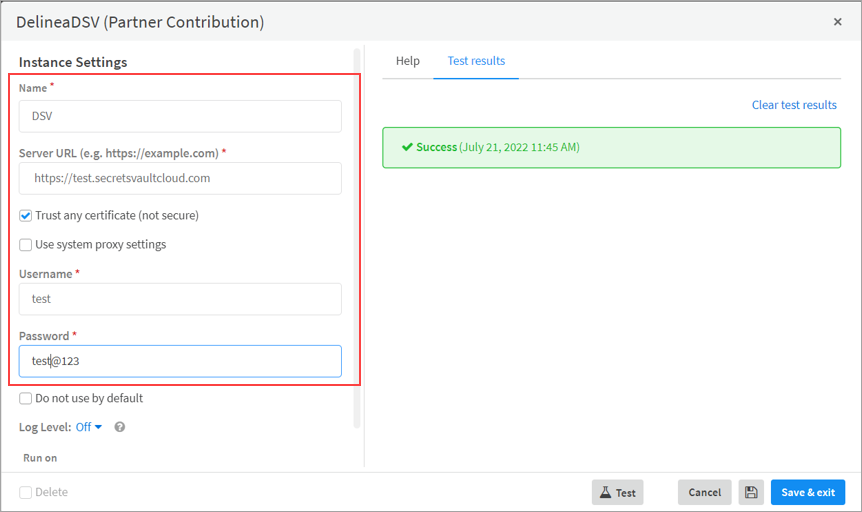
In the Instance Settings window, provide the required information (for example, Name, Server URL, Username, Password) and click on Test.
-
If you get the Success message, your connection to the DevOps Secret Vault is made. Click on Save & Exit.
-
The recently added instance will be displayed in instances.


