Verification
After completing the configuration steps, verify that the Azure DevOps Task integration is working correctly.
Step 1: Run the Pipeline
Run the pipeline that includes the Delinea SS task.
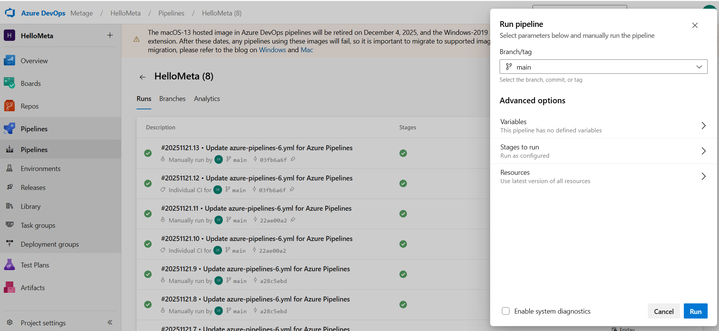
Step 2: Check Pipeline Logs
First, check the status of your running pipeline:
-
It will initially queue:
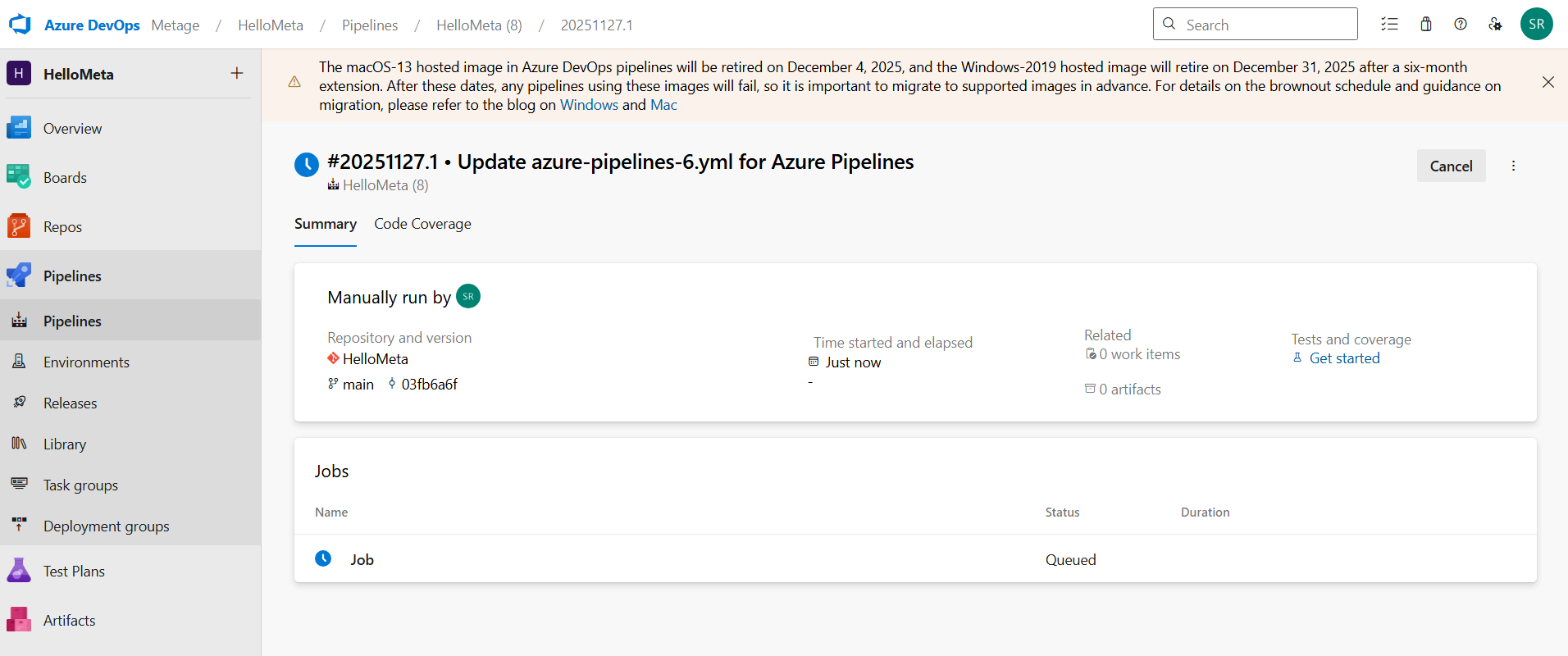
and when you refresh:
-
the status should change to Success.
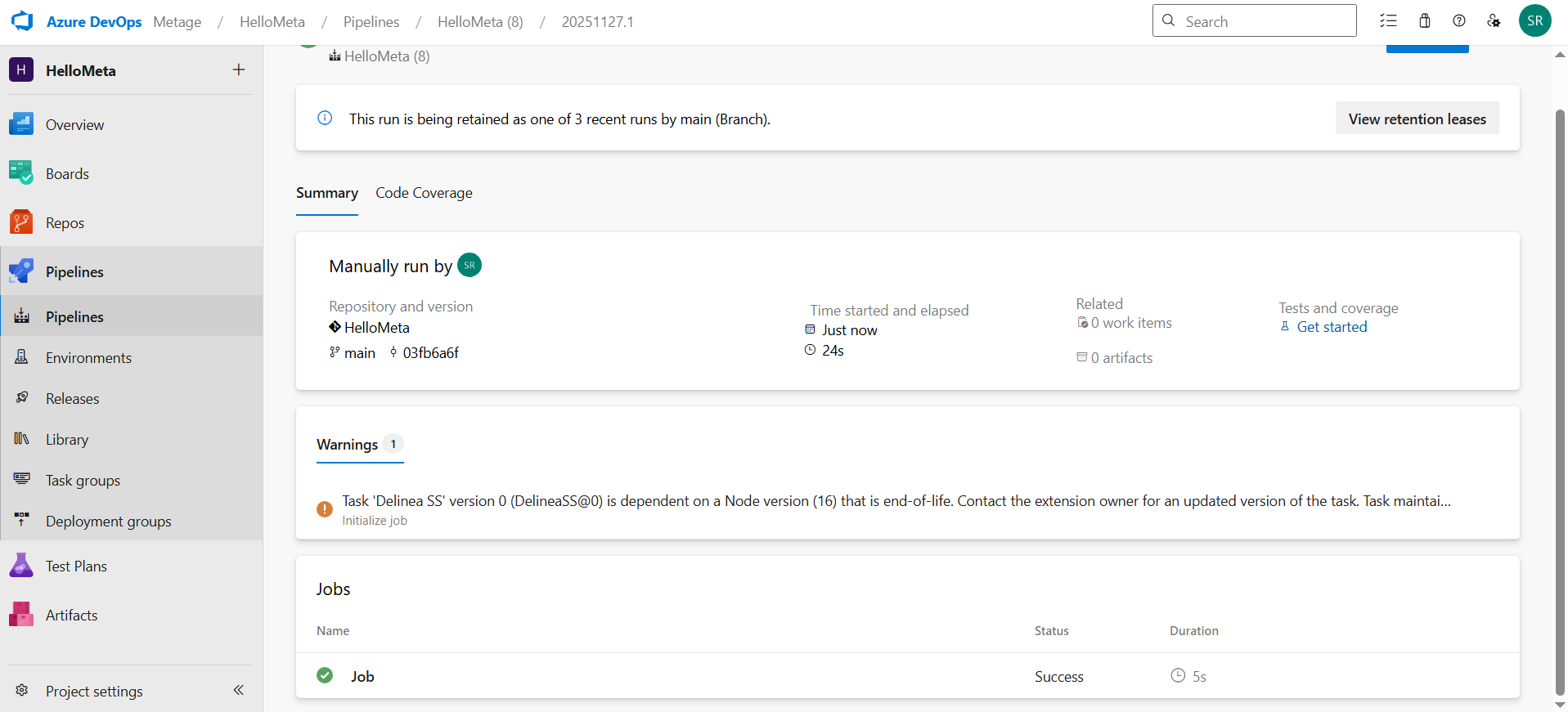
If the pipeline status shows Failed, you can open the job to investigate what is wrong with the Delinea SS task.
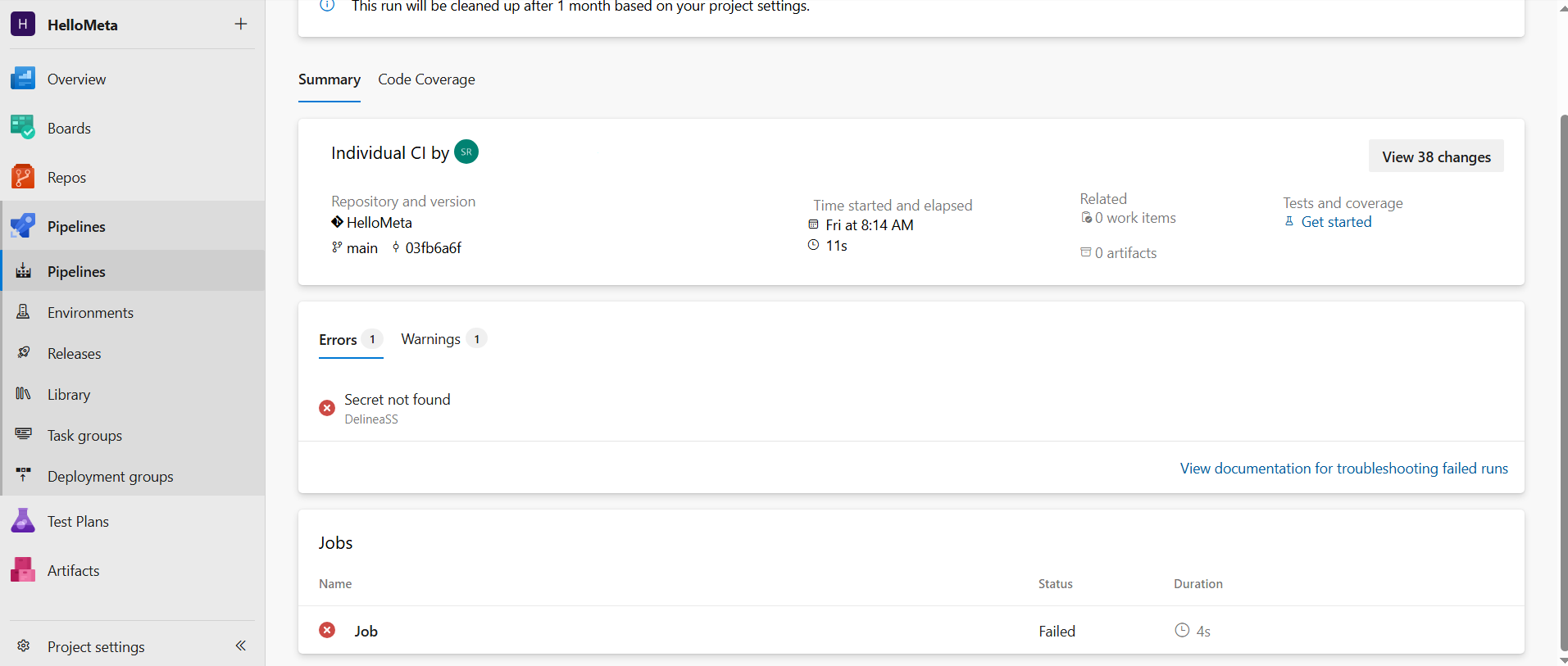
Open the Job and see in the pipeline logs the following:
-
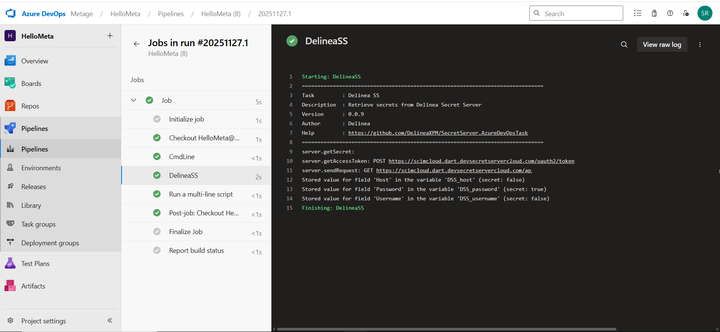
Confirm that the task reports successful secret retrieval.
-
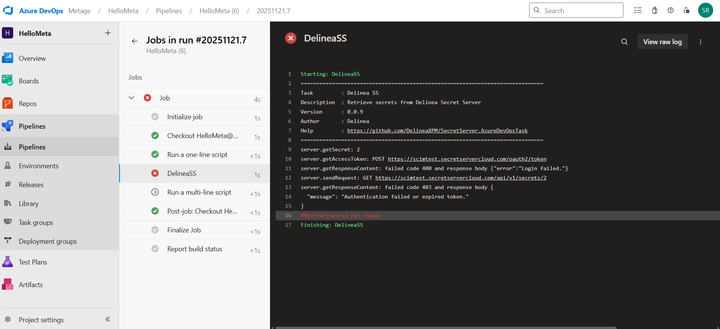
Ensure there are no authentication errors.
-
Ensure there are no connection errors.
This is how the log will look like when DelineaSS was successful:
This is how the logs will look like when DelineSS task was not successful:
Step 3: Verify Environment Variables
If the task is configured with a Variable Prefix, verify that:
-
Environment variables are created automatically.
-
Variables appear in the logs (non-sensitive values only).
-
Variable names match the configured prefix.
Example: DSS_username, DSS_password
Step 4: Confirm Downstream Task Usage
Verify that tasks following the Delinea SS task can reference the generated variables.
Example:
echo "Using secret: $DSS_username"
The downstream tasks must be able to read these variables without errors.


