Verification
This topic provides steps to verify that the Cyera DSPM integration with Delinea Platform was successfully configured.
-
In Delinea Platform, navigate to Inventory > Identities.
-
Apply the Has DSPM Findings filter. The resulting list displays only identities with DSPM findings.
-
Select an identity from the results. The account pane opens on the right.
-
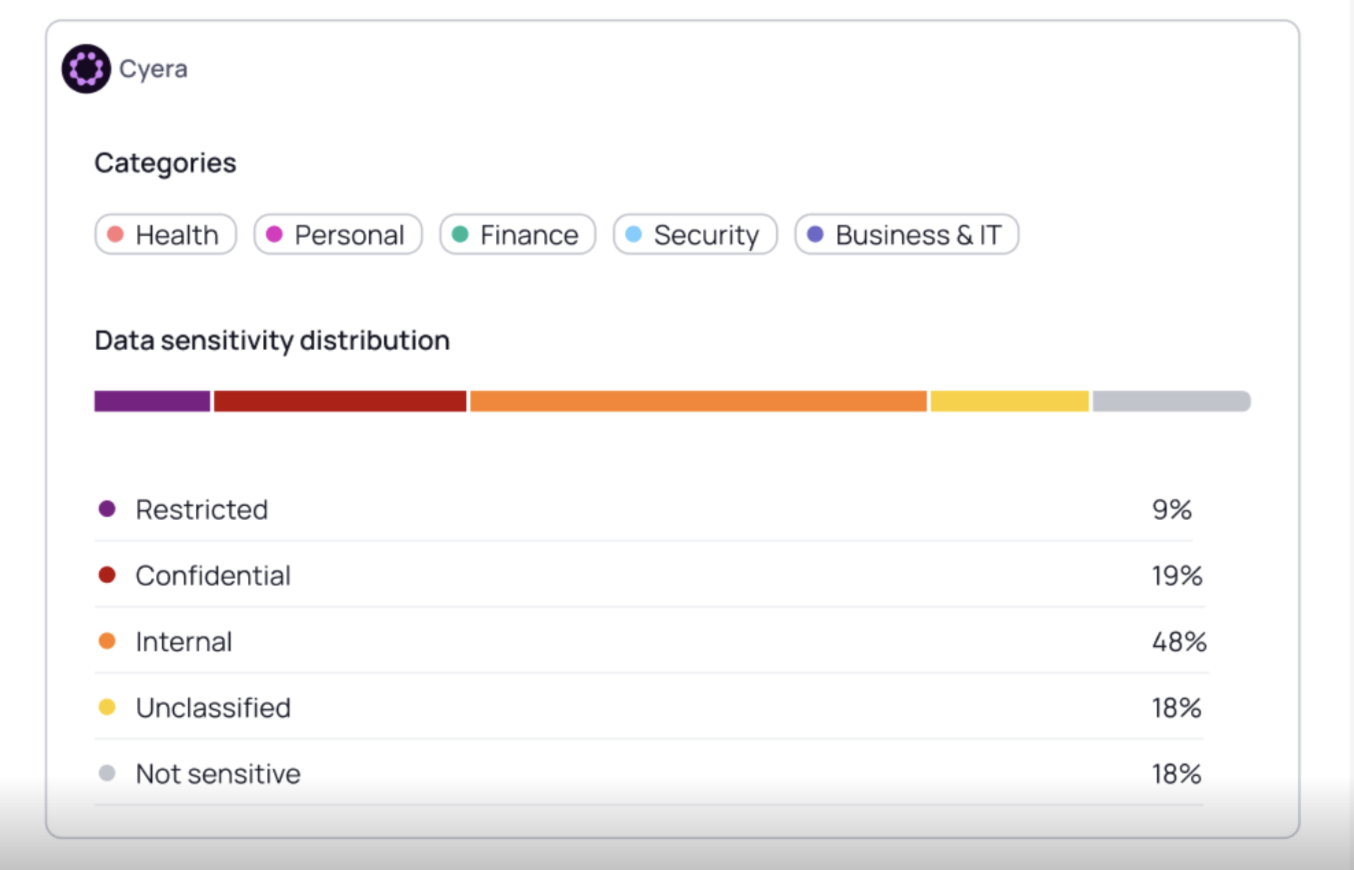
Scroll down on the account pane and confirm that the DSPM Findings widget is displayed. The widget displays the distribution of data categories (such as Health, Personal, Finance, Security, and Business & IT) and sensitivity levels (Restricted, Confidential, Internal, Not sensitive, and Unclassified).