Installation and Configuration
Basic Configuration
Once Secret Server is installed, see the Secret Server Business User Guide to begin setting up Secret Server right away. This covers:
- Adding your licenses
- Basic security settings
- Configuring automatic backups
- Basic security settings
- Heartbeat
- Basic security settings
- Setting up access for local and AD users
Advanced Configuration
Secret Server's Advanced Configuration page is intentionally hidden from casual access. You have to enter a URL—the page is not accessible by clicking a link. The URL format is:
https://<>/app/#/admin/advanced-config-settings
For example:
https://qa-test.acme-east.acmewidgets.com/app/#/admin/advanced-config-settings
The easiest way to get to the page is:
-
Open your Secret Server instance.
-
Navigate to the URL in your browser, remove everything after
admin/and pasteadvanced-config-settings, so you will have something likehttps://qa-test.acme-east.acmewidgets.com/app/#/admin/advanced-config-settings.Administrators in Secret Server do not automatically have access to all data stored in the system—access to data is still controlled by explicit Delinea permissions on that data. -
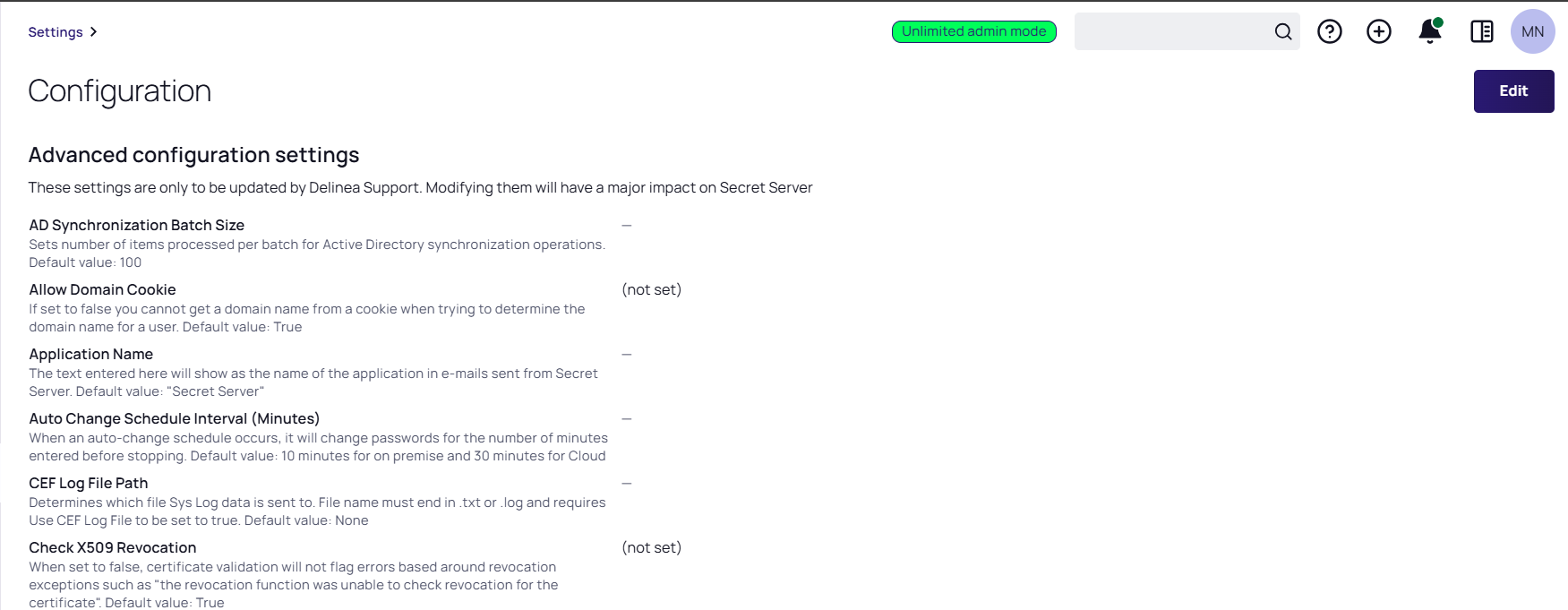
Press <Enter>, and the (advanced) Configuration page appears:
-
Note the warning at the top of the page. It is serious, but it is also not completely correct. There are a few settings that may be important to your initial deployment. Do not change any settings not directly discussed here without contacting Delinea Customer Service first.
The following settings might need adjustment:
- IP Address Header: If you are using a load balancer and multiple Secret Server Web server nodes, it is important to set this header to
X-Forwarded-For. That way, user audits reflect individual user IP addresses and not your load balancer IP address. - Secret Computer Matcher Once Per Discovery: We mention this setting in the Discovery Best Practices topic, where we recommend setting it to
yesfor large environment discovery. Otherwise, the matcher runs every five hours, regardless of how often discovery is configured to run.


