Manually Adding Dependencies
To manually add a dependency:
-
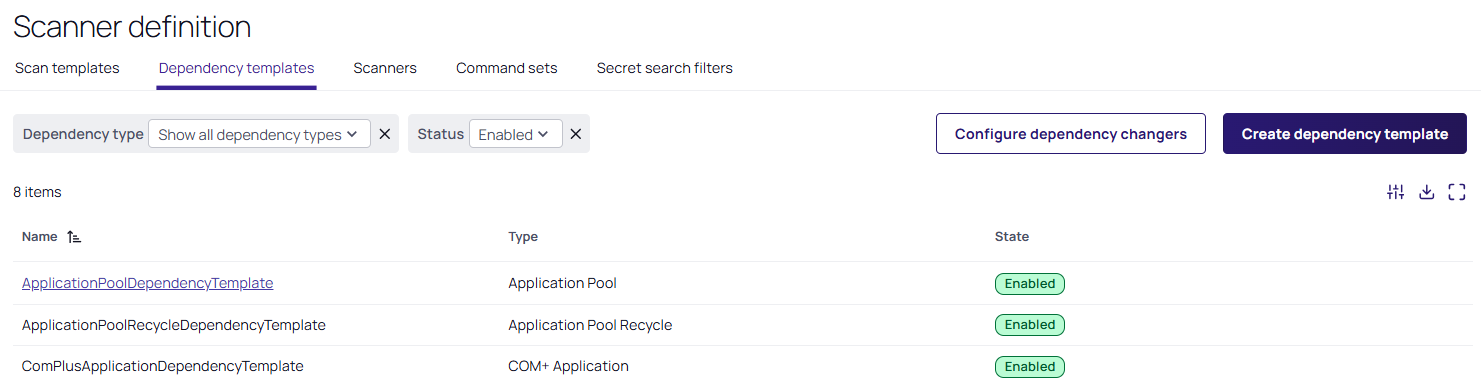
Search for Settings > All Settings > Discovery > Configuration > Dependency Templates. The Scanner definition page appears on the Dependency templates tab:
-
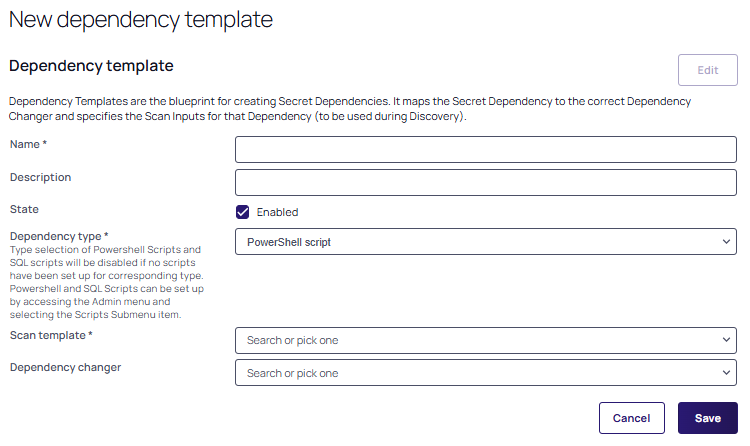
Click Create Dependency Templates. The New dependency template page appears:
-
Choose an appropriate Name.
-
Optionally add a description.
-
The State is automatically set to Enabled.
-
Choose your Dependency type from the dropdown list.
Type selection of PowerShell Scripts and SQL scripts will be disabled if no scripts have been set up for these corresponding types. PowerShell and SQL scripts can be set up by accessing the Admin menu and selecting the Scripts sub-menu item. -
Select a Scan Template from its dropdown list.
-
Select your desired dependency changer from the Dependency Changer dropdown list.
-
Click the Save button to finish adding the dependency.


