
Decommissioning a Secret Server Node
You are viewing documentation for an older version of Secret Server. If you are using Secret Server Cloud visit the current version of this documentation here. If you are using Secret Server On-Premises choose the version that matches yours from this list.
For release dates, end-of-support timelines, and upgrade guidance, see the Secret Server Product Lifecycle page.
For release dates, end-of-support timelines, and upgrade guidance, see the Secret Server Product Lifecycle page.
To remove a Secret Server node from the list of active nodes, for example after you migrate an instance of Secret Server to another server, use the procedure below to decommission the node.
-
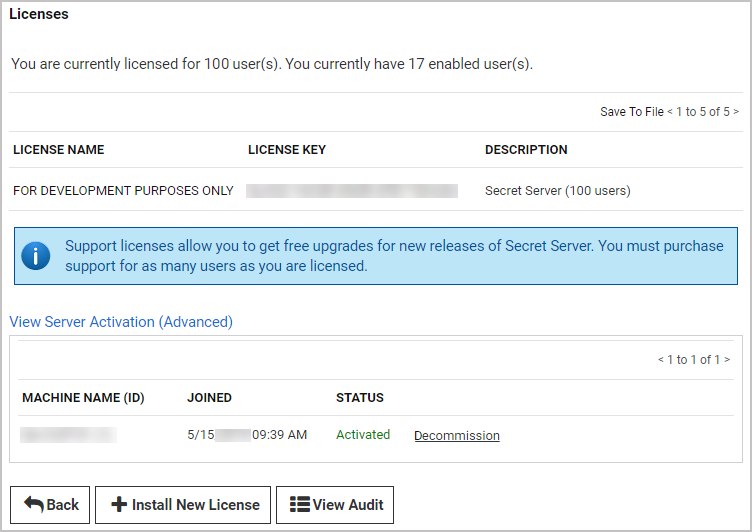
Click Admin > Licenses.
-
Click View Server Activation (Advanced) to open a list of Secret Servers designated as activated.
-
In the row of the server you wish to decommission, click Decommission.


