
Moving Folders
You are viewing documentation for an older version of Secret Server. If you are using Secret Server Cloud visit the current version of this documentation here. If you are using Secret Server On-Premises choose the version that matches yours from this list.
For release dates, end-of-support timelines, and upgrade guidance, see the Secret Server Product Lifecycle page.
For release dates, end-of-support timelines, and upgrade guidance, see the Secret Server Product Lifecycle page.
To move a folder:
-
Ensure that you have edit permission for both the source and destination folders.
-
Expand the folder tree to make both folders visible.
-
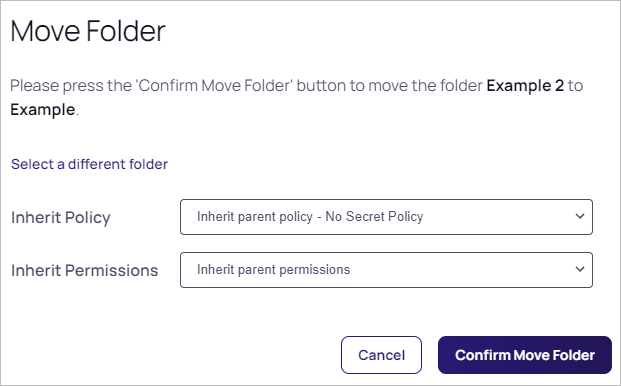
Drag the source folder and drop it on the destination folder. The Move Folder page appears:
-
Click the Inherit Policy dropdown list to select how you want policy inheritance to work for the folder in the new location.
-
Click the Inherit Permissions dropdown list to select how you want permission inheritance to work for the folder in the new location.
-
Click the Confirm Move Folder button.
You can also right click the source folder and select Move to see an alternative method of moving folders where you are prompted to select the destination folder.


