Special Argument Handling
You are viewing documentation for a version of Secret Server that is no longer supported. Delinea supports Secret Server for one year after release. This version has passed that window and will no longer receive updates. We strongly recommend upgrading to a supported version. Visit the current version of this page for the latest documentation.
For release dates, end-of-support timelines, and upgrade guidance, see the Secret Server Product Lifecycle page.
You can view the latest version of the Secret Server documentation here.
For release dates, end-of-support timelines, and upgrade guidance, see the Secret Server Product Lifecycle page.
You can view the latest version of the Secret Server documentation here.
IBM iSeries Launcher
Usernames and passwords can run into length issues during the automated login process initiated by a launcher. The issue stems from the behavior in the client—when a user logs in and enters a username of 10 characters, the client automatically tabs to the next field (the password field). The launcher's automated login process automatically inserts a tab, which can cause improper behavior in the headless client.
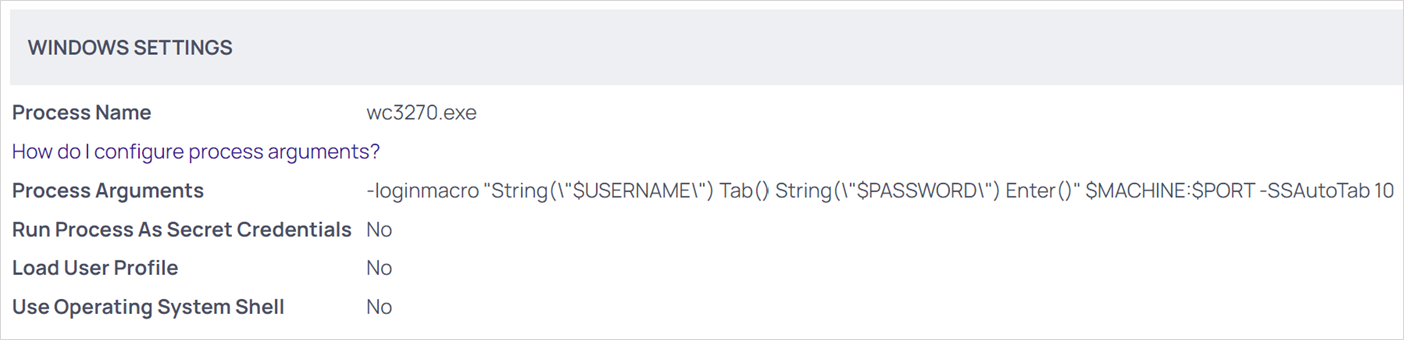
If this behavior is observed, we added a parameter to the launcher’s configuration to resolve it:
If you client adds a different number of tabs, replace 10 with that number.
-
Go to Administration > Secret Templates > Launchers > IBM iSeries Launcher.
-
Edit the value “Process Arguments,” adding the
-SSAutoTab 10parameter: For example: