
Creating Folders
You are viewing documentation for a version of Secret Server that is no longer supported. Delinea supports Secret Server for one year after release. This version has passed that window and will no longer receive updates. We strongly recommend upgrading to a supported version. Visit the current version of this page for the latest documentation.
For release dates, end-of-support timelines, and upgrade guidance, see the Secret Server Product Lifecycle page.
You can view the latest version of the Secret Server documentation here.
For release dates, end-of-support timelines, and upgrade guidance, see the Secret Server Product Lifecycle page.
You can view the latest version of the Secret Server documentation here.
To create a folder:
To create folders, you must have a role with the "administer folder" permission. You also must have edit or owner permission for the parent folder.
-
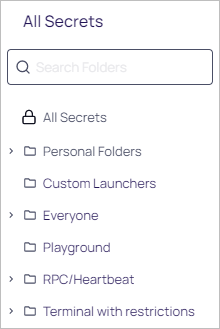
Click >> on the Secrets menu item to view the Secret Folder-Tree Panel.
-
Drill down and click the folder you wish to add a subfolder to. We chose the Playground folder.
-
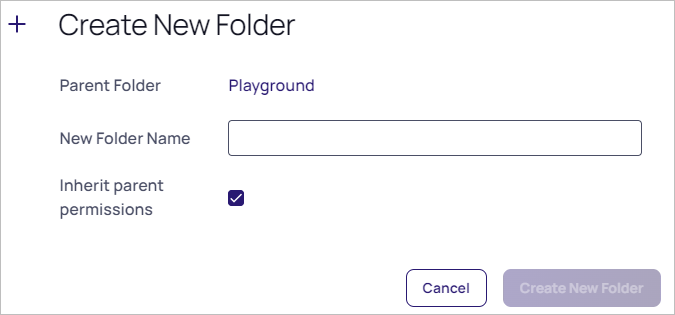
Right click the folder and select Add Subfolder. The Create New Folder popup appears:
-
Type the new folder's name in the New Folder Name text box.
-
If desired, click to toggle the Inherit Parent Permissions check box.
-
Proceed to Editing Folder Permissions to customize permissions for the new folder.


