
Assigning a User a DoubleLock Password
You are viewing documentation for a version of Secret Server that is no longer supported. Delinea supports Secret Server for one year after release. This version has passed that window and will no longer receive updates. We strongly recommend upgrading to a supported version. Visit the current version of this page for the latest documentation.
For release dates, end-of-support timelines, and upgrade guidance, see the Secret Server Product Lifecycle page.
You can view the latest version of the Secret Server documentation here.
For release dates, end-of-support timelines, and upgrade guidance, see the Secret Server Product Lifecycle page.
You can view the latest version of the Secret Server documentation here.
-
Click the
 icon at the top right of Secret Server. Your My Profile page appears: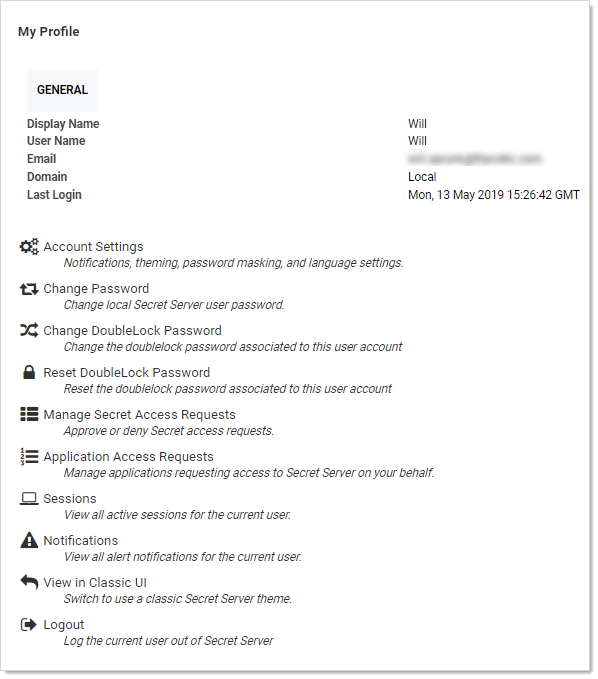
-
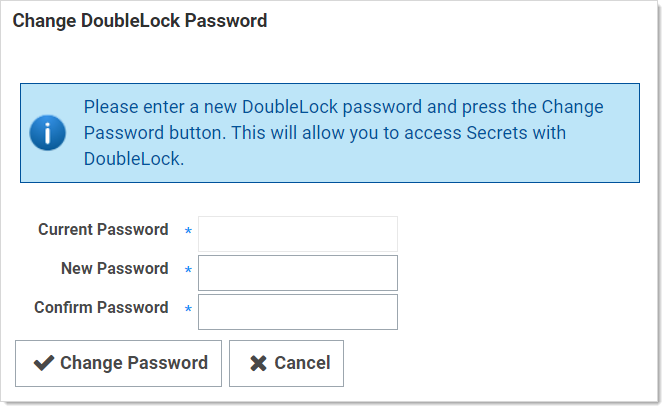
Click the Change DoubleLock Password button. The Change DoubleLock Password page appears:
-
Type your current doublelock password in the Current Password text box.
You cannot create a doublelock password until you are associated with a doublelock. When you access your first doublelock, you are prompted to create a password. -
Type your desired doublelock password in the Password and Confirm Password text boxes.
It is critical that you remember or securely store this password. It cannot be recovered. -
Click the Change Password button. The password is created.


