Remediation and Mitigation Checks
The Platform provides the remediation and mitigation options below.
Vaulting via Secret Server Cloud
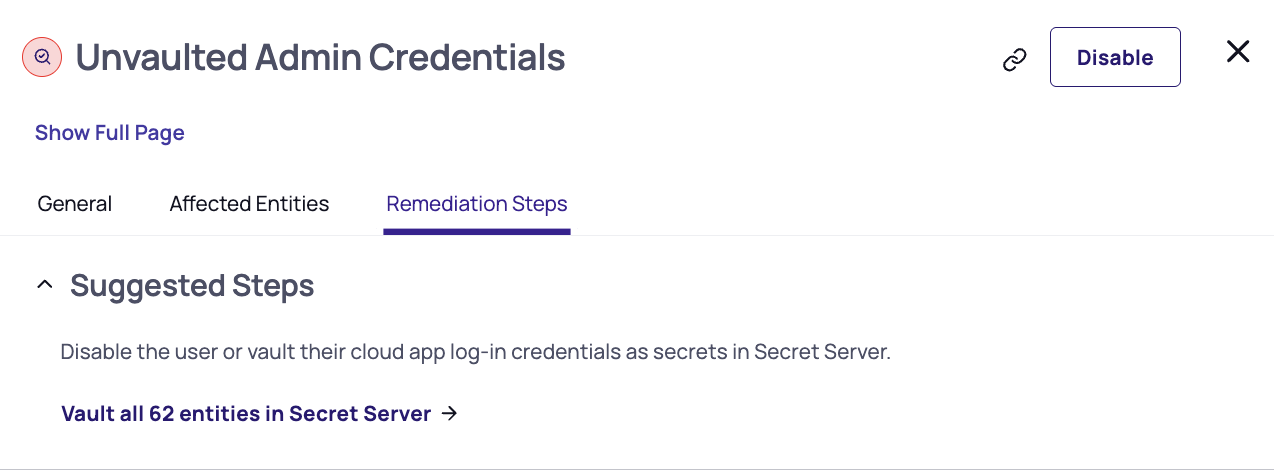
Securely store discovered credentials in Secret Server Cloud directly from the Checks page, removing them from insecure locations and bringing them under centralized management, rotation, and access control.
Manual vaulting
Review each credential and vault it with a single click.
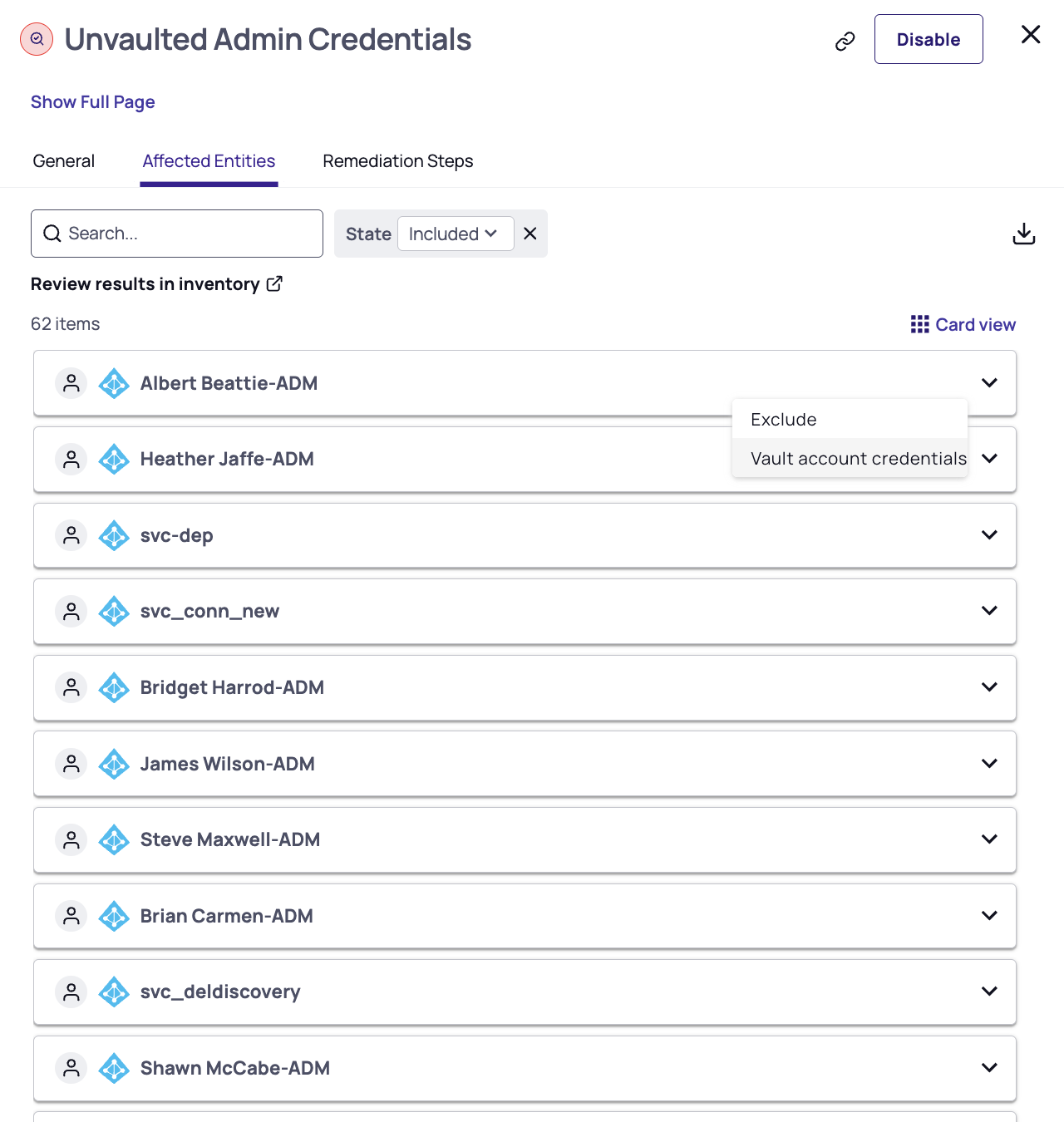
Automated vaulting
Configure rules so qualifying credentials are vaulted automatically as soon as they are discovered.
When to use: Any check that surfaces unmanaged or exposed credentials.
Checks with supported vaulting options: CID Checks
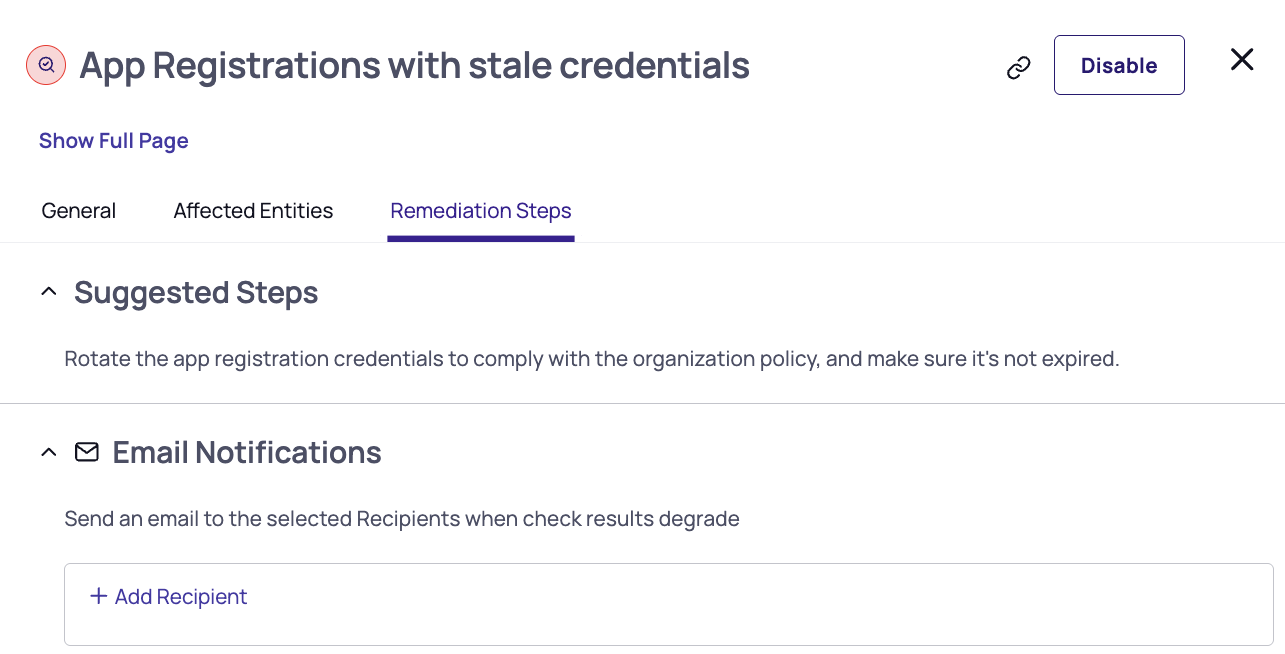
Email Notifications
Configure email alerts so the right people are notified the moment a check's status changes — without needing to monitor the dashboard manually.
Notifications are sent when:
-
A check transitions from Passed → Failed.
-
A check's results degrade (for example, more affected entities than the previous run, or a higher severity).
You can route notifications to specific users, teams, or distribution lists based on the check, environment, or severity, ensuring that only the relevant owners are alerted.
When to use: When you want lightweight, human-in-the-loop awareness — especially for checks owned by specific teams or applications.
Benefit: Shortens time-to-response and ensures accountability — issues reach the right owner without manual triage.
Checks Public API
Use the Checks API to export check data to external systems and integrate remediation into your existing workflows.
When to use: When you need to fit check data into a broader security or operations workflow you already run elsewhere.
CLI Commands (Refactor Checks)
When a check identifies a user, group, or role with excessive permissions, the platform generates ready-to-run CLI commands that apply least-privilege in a single workflow.
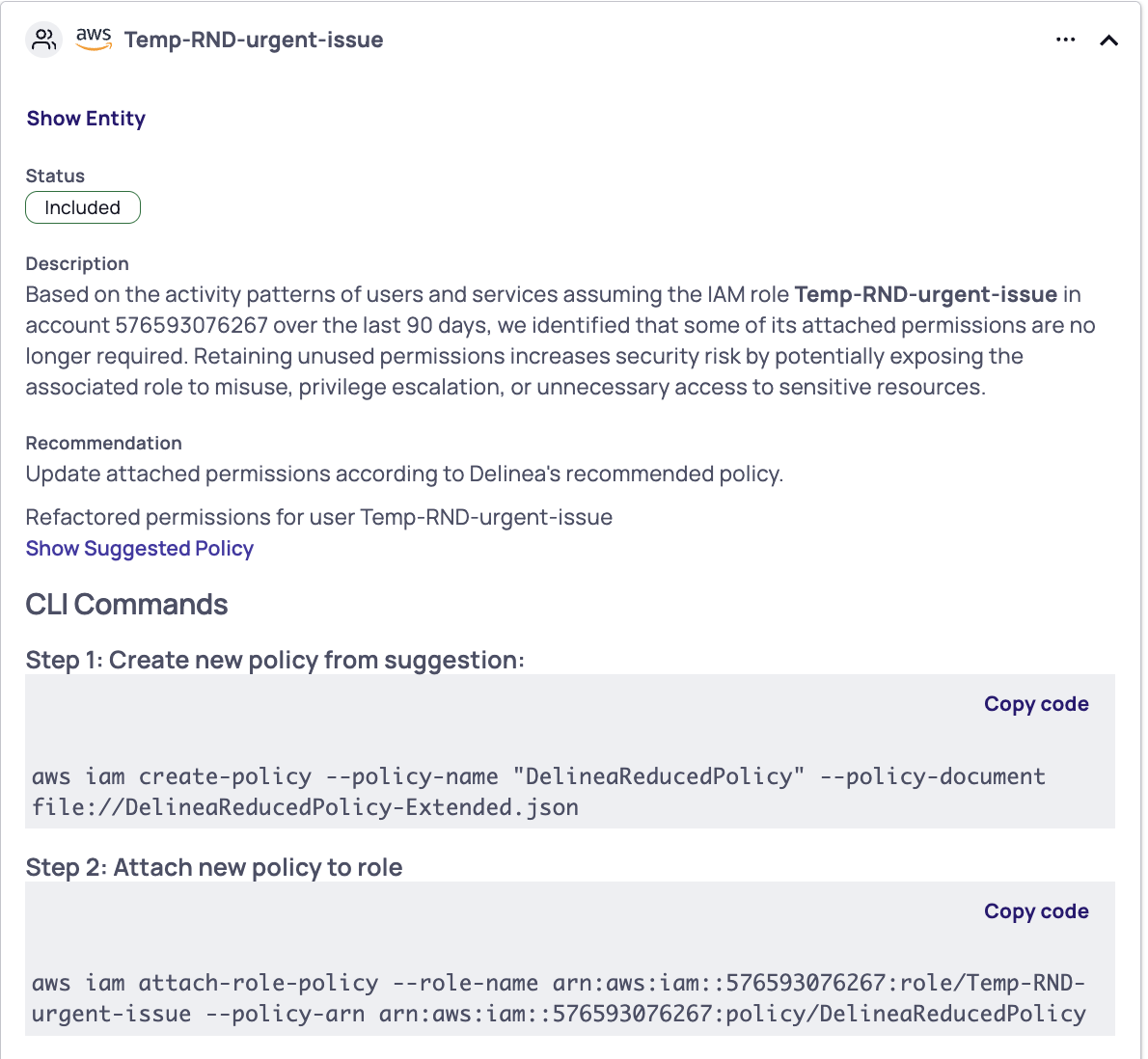
Supported for AWS and Azure, each command set:
-
Scopes down permissions based on the identity's actual usage
-
Creates a new, right-sized policy
-
Attaches it to the affected user, group, or role
-
Removes the excessive policy
When to use: When a check flags an identity with permissions broader than its real usage justifies.
Checks with supported CLI commands:


