Downloading Session Recordings
Prerequisites
-
Administrators will need to ensure that users needing to download recordings have the necessary permissions. See Platform Audit Permissions for more information.
Requesting a Download Link
To request a download link:
-
Navigate to the Session Review page and select Request download from the three dots menu.
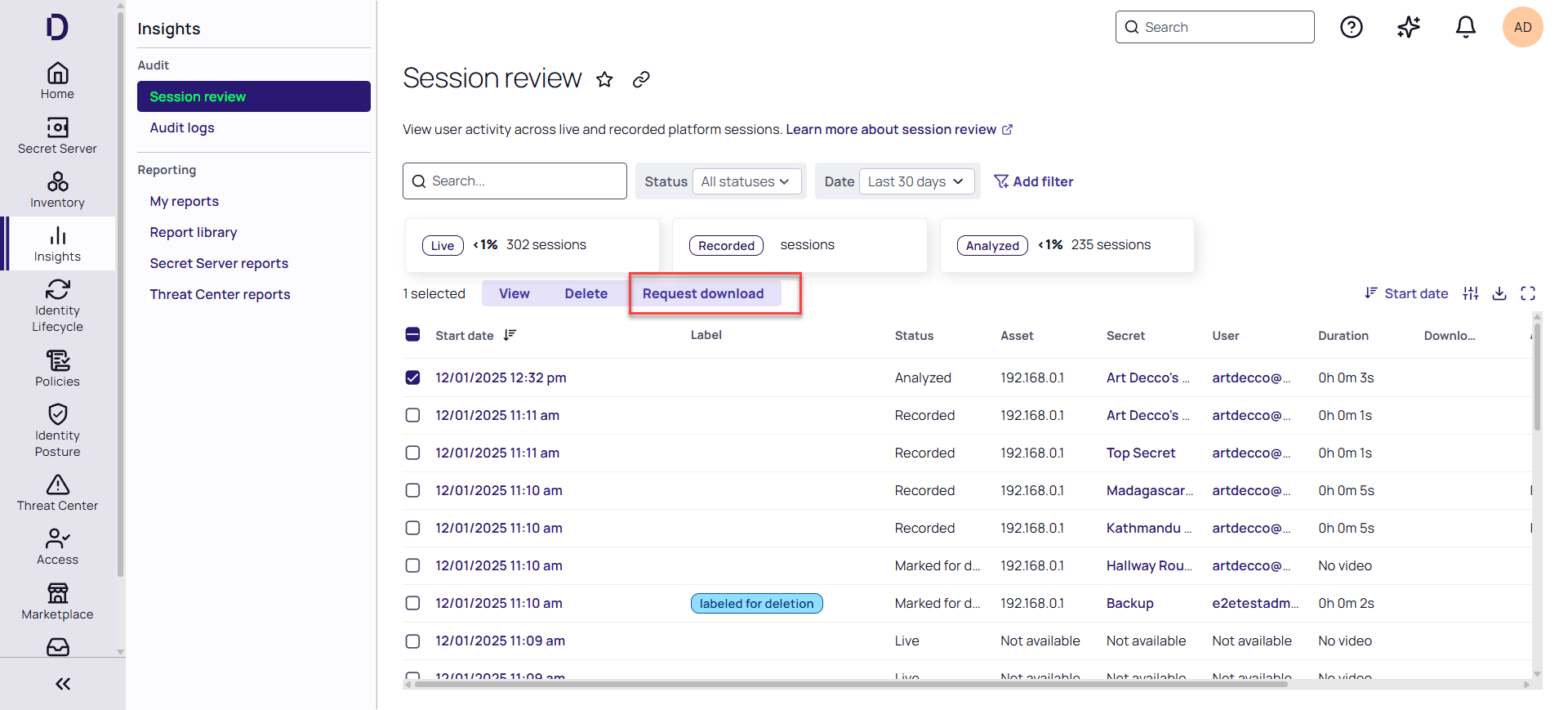
Duplicate simultaneous download requests are not allowed. You can submit a new download request after the current one is completed.
-
Enter a comment and click Request download.
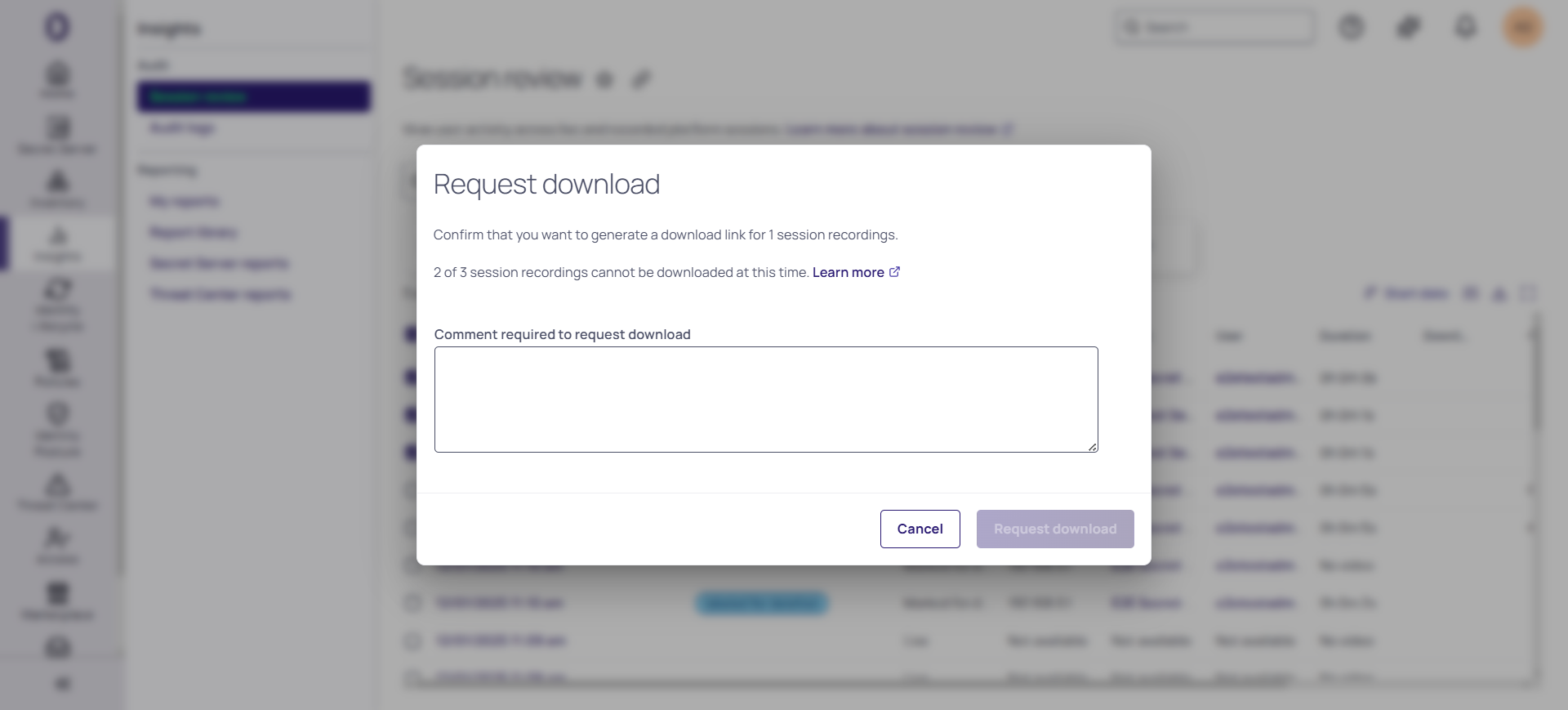
-
On the Session Review page, click the Download link next to the recording.
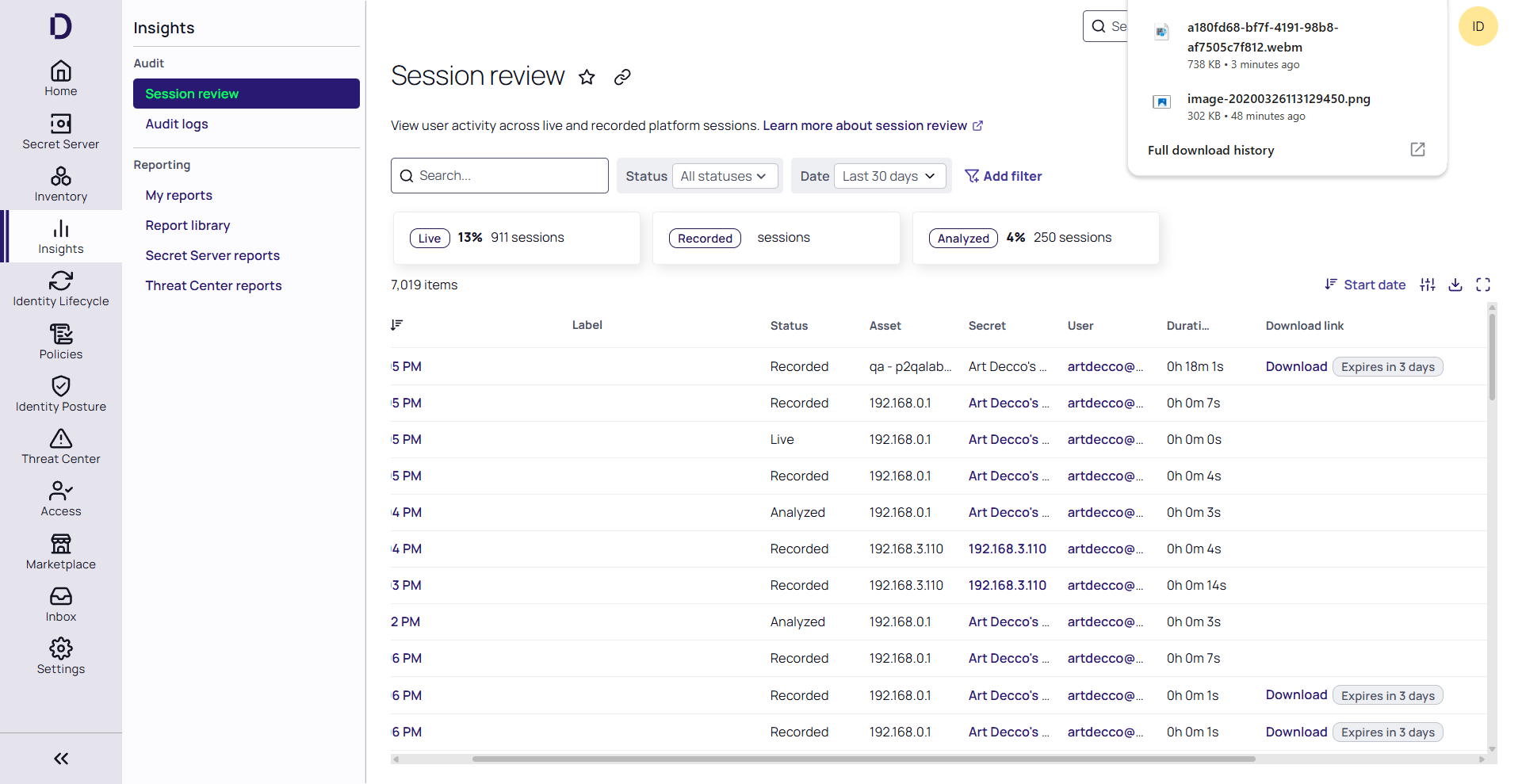
A maximum of 100 recordings can be requested for download at a time.
Session Recording Download Availability
The table below describes when a recording will be available for download:
| Condition | Can Request Download | Can Download via Link |
|---|---|---|
|
Source is "Remote Access" or "Audit Collector" |
Yes | Yes |
| Any other source | No | No |
| Pending download request or download is available | No | No |


