Viewing the Heatmap
This feature is not available in FedRAMP-compliant tenants.
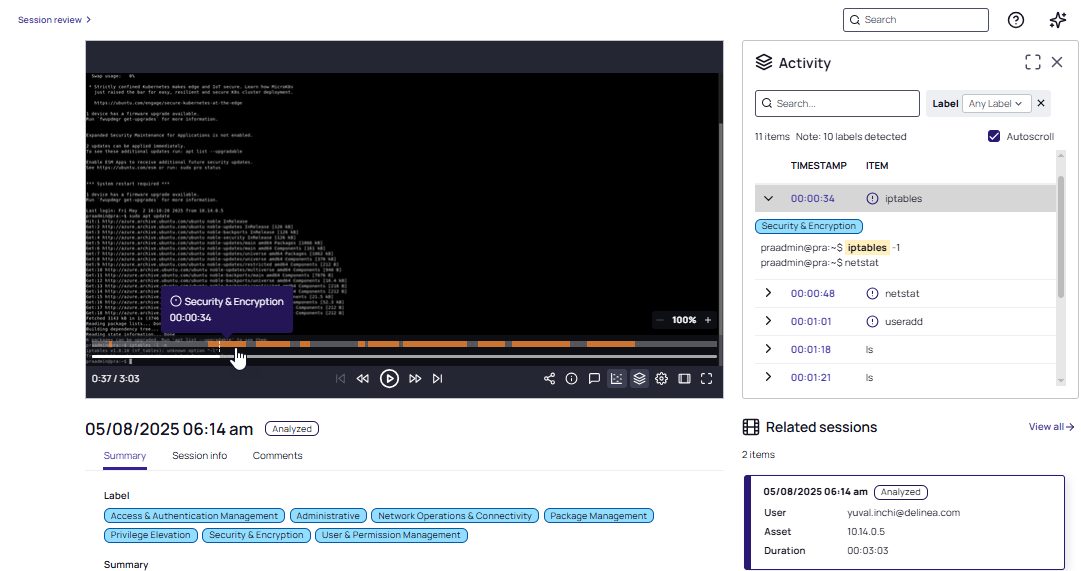
After a video is analyzed, click the Heatmap icon in the video player task bar to access a heatmap of the current session.
The heatmap shows an indication of the label identified in the session, along with a short description of the label. Hover over an area of activity to view details. Click an area of the heatmap and the corresponding item in the Activity panel is highlighted.