Troubleshooting the PRA Workload
This page gives information about how to investigate and solve issues with the PRA workload.
PRA Workload Log File Locations
The PRA workload log files can be found in the following locations:
-
Windows:
C:\ProgramData\Delinea Engine\log
-
Linux:
/var/delinea-engine/log
When checking the log files for both Windows and Linux, it is important that you look at the file that begins with remote-access-service. For example: remote-access-service_1.0.67-1729865933_20241112.log where:
-
1.0.67-1729865933 is the PRA workload version
-
20241112 is the date
-
In some cases, you may need to look at logs on the remote target system being accessed, for example Windows Event Viewer which would contain logs related to possible errors with Windows remote access services, authentication, etc. Some examples include:
PRA Workload Log Levels
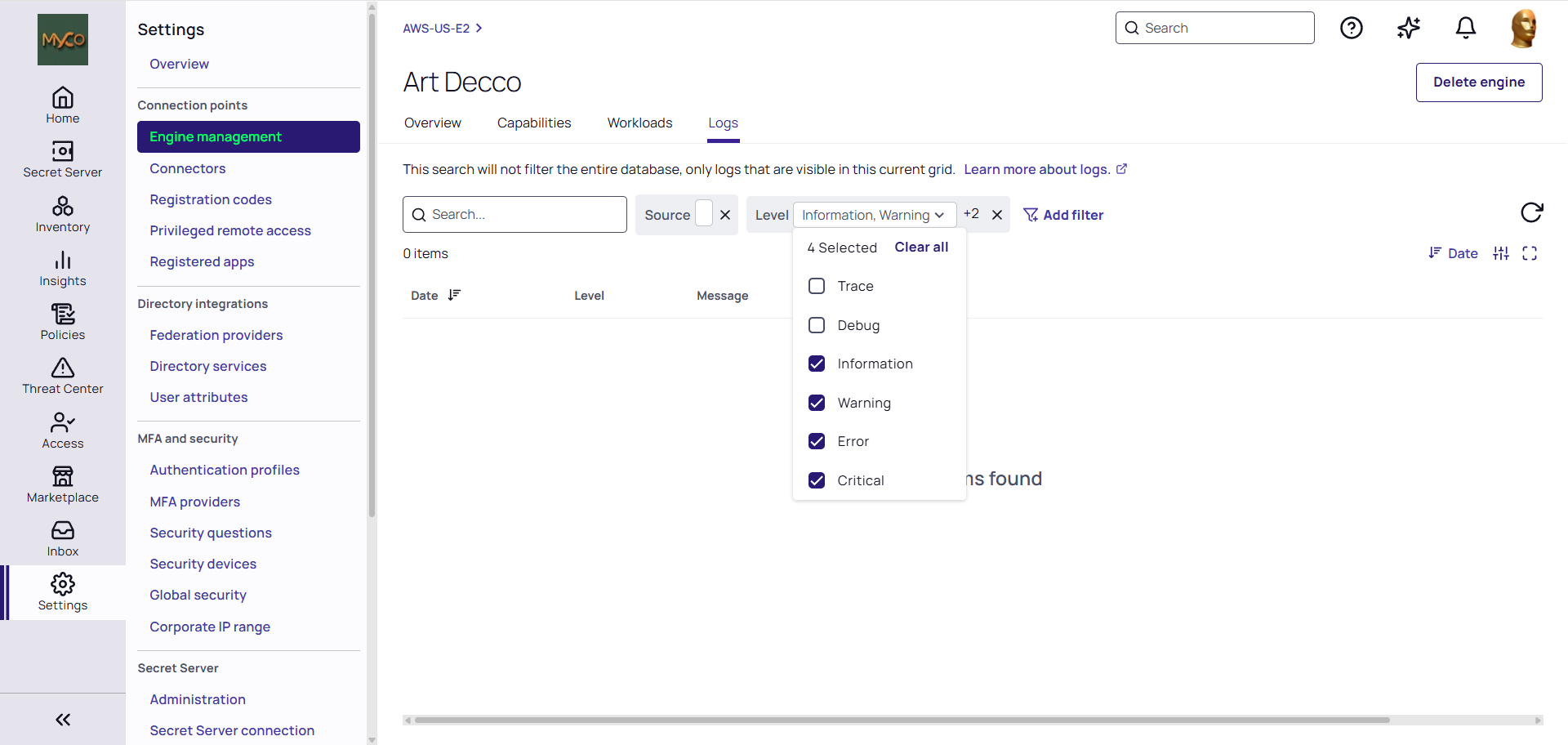
PRA currently supports the following log levels: Critical, Error, Warning and Information. The Debug and Trace levels are not in use.
The Information log level captures all the necessary data for troubleshooting if and when needed.
Troubleshooting Proxy Issues
If you are experiencing issues connecting to the target machine through a secret with proxy enabled, collect the proxy logs to assist the Delinea Support team with troubleshooting. For more information about collecting proxy logs, refer to the Secret Server documentation.


