Troubleshooting
This page provides tips to help you resolve potential issues with Credential Manager.
Hiding the Credential Manager Icon
If the Credential Manager icon appears in website fields and interferes with authentication pages, you can hide the icon until the page is reloaded.
To hide the Credential Manager icon:
-
Right-click any text input on the page
-
Click the Credential Manager option.
-
Select Hide DCM icon.
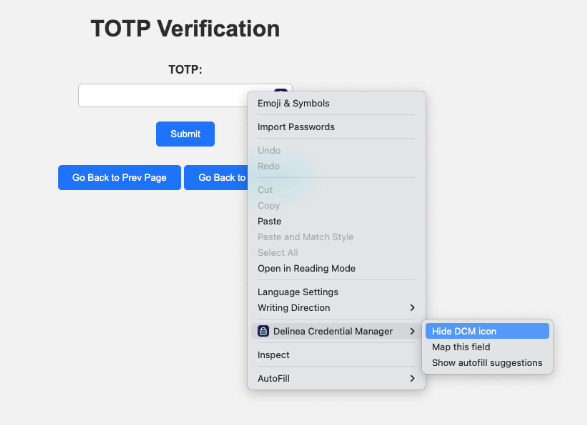
The icon no longer appears in the website field.
To unhide the Credential Manager icon, reload the webpage or right-click the website field and select Show DCM icon.


