Authenticating With WebAuthn
WebAuthn enables secure passwordless authentication using hardware security keys, biometrics or platform authenticators during remote RDP sessions. This feature is in beta and may change in future updates.
Enabling WebAuthn
WebAuthn is disabled by default. To enable WebAuthn authentication follow the steps below.
-
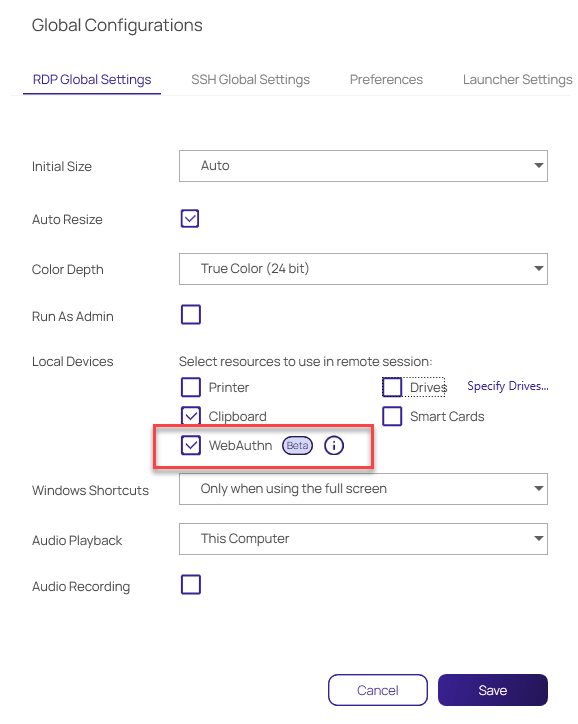
In the Global Configuration settings, check the WebAuthn box:
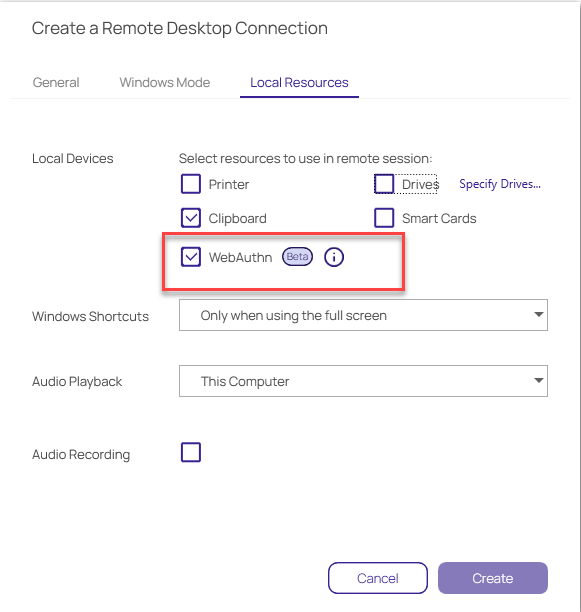
You can also enable WebAuthn redirection for local connections as well:
-
After you launch the application you will be able to use Yubikey as a FIDO2 key.
Enforcing Vault Authentication for WebAuthn on Windows
Admins can use these instructions to enforce whether users can connect to a vault with WebAuthn authentication.
-
Open the Connection Manager Registry editor which can be found via the following path:
Computer\HKEY_LOCAL_MACHINE\SOFTWARE\Delinea Inc.\Delinea Connection Manager\AdminConfig -
Create a value in the Registry called
WebAuthnVaultEnforcementand inputyas the parameter.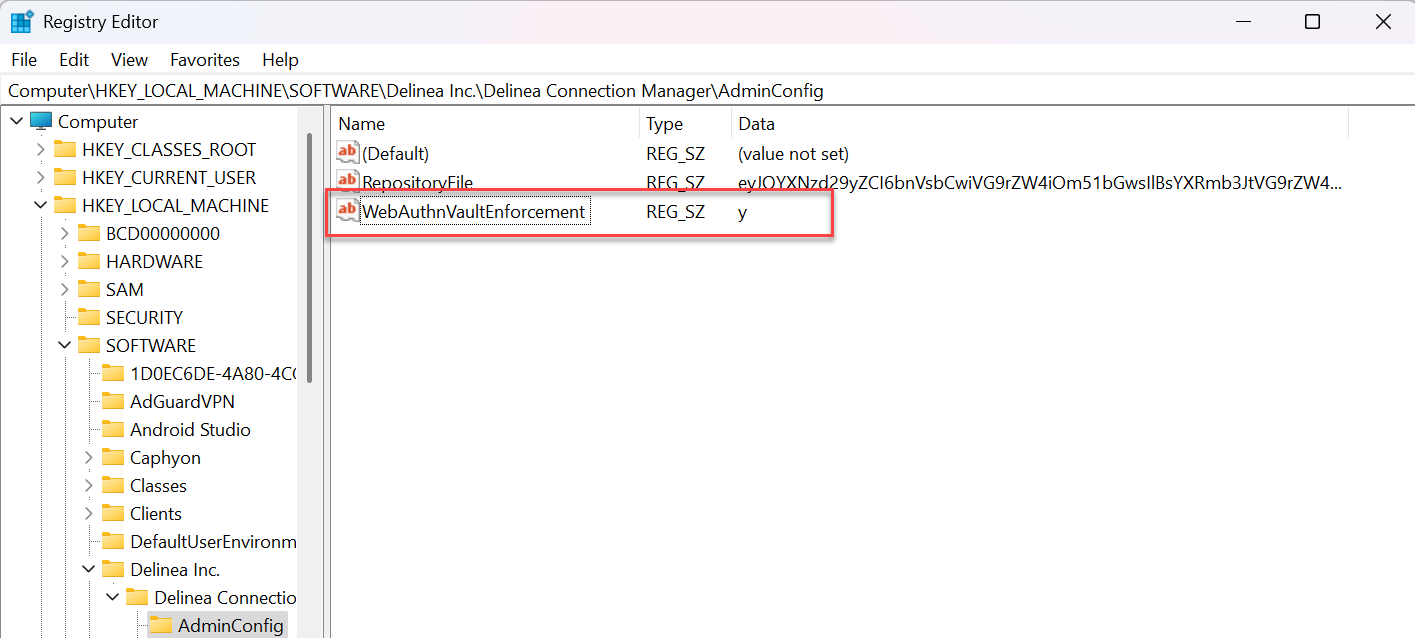
Enforcing Vault Authentication for WebAuthn on MacOS
Run the following command in the terminal:
defaults write com.Delinea.ConnectionManager webauthnvaultenforcement y


