Batch Editing Local Connections
In Connection Manager there are several ways to batch edit multiple RDP connections or multiple SSH connections. You cannot edit RDP and SSH connections together.
Batch Editing Local Connections Using Multi-Select
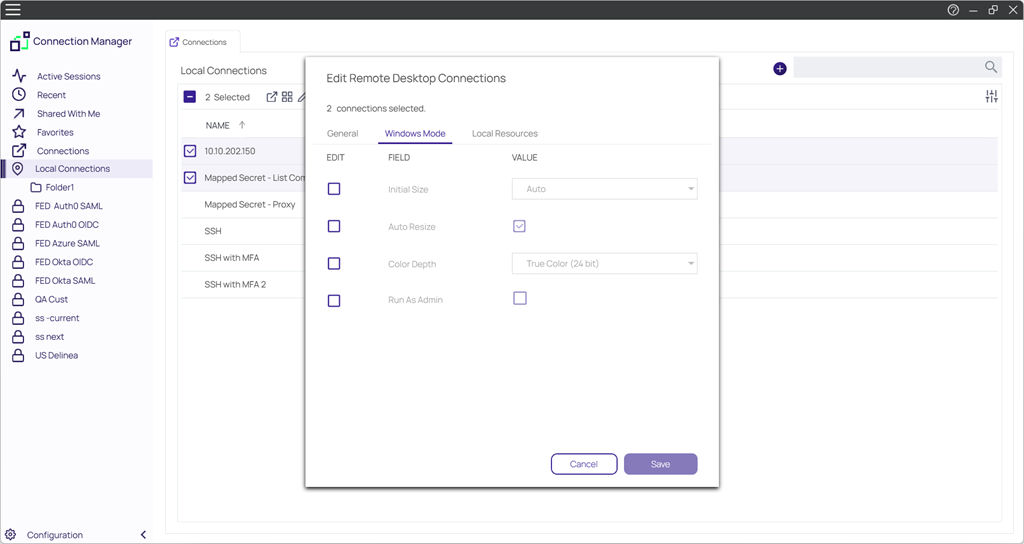
You can batch edit parameters for multiple local connections (all RDP or all SSH) using multi-select.
-
Click to check the boxes for all connections you wish to batch edit
.
-
In the toolbar click the Edit icon.
-
Edit the settings you wish to apply to all of your selected connections and click Save.
Batch Editing Credentials for All Connections in One or More Folders
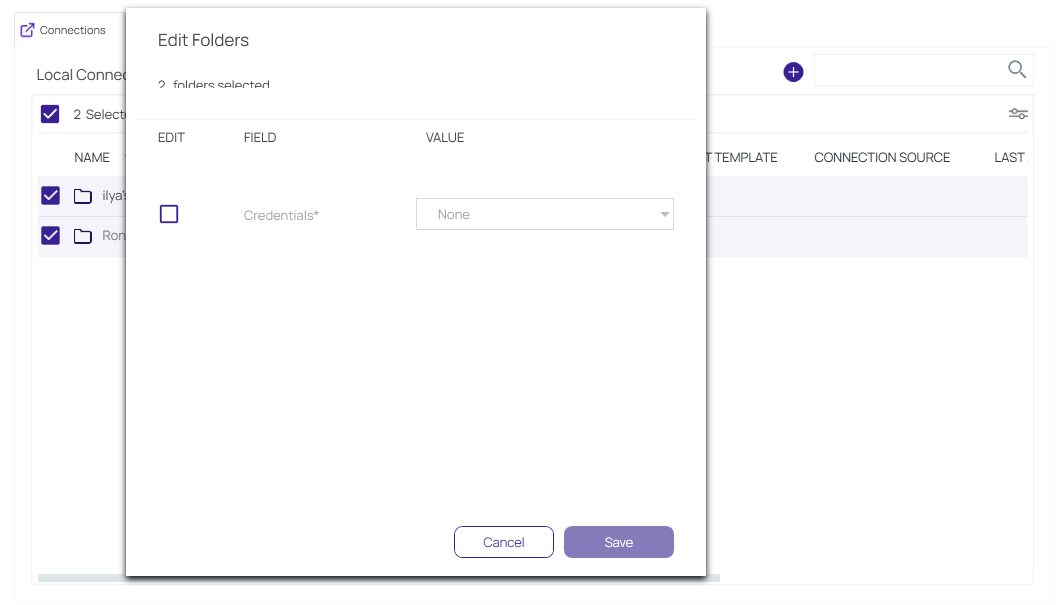
You can batch edit Credentials for all connections in one or more folders, at the folder level.
-
Click to check the boxes for the folder or folders whose connections you wish to batch edit.
-
In the toolbar click the Edit icon.
-
Edit the Credentials you wish to apply to all connections in your selected folder or folders and click Save.


