Managing Workflow Templates
Review and make changes to a Workflow Template by clicking on the Template Name to bring up the Template page.
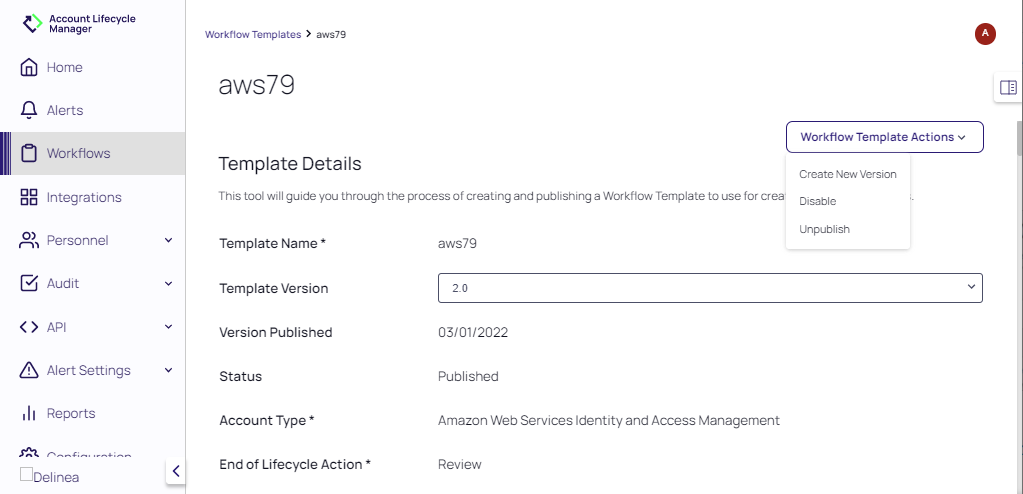
Select the desired action from the Workflow Template Actions pull-down. The actions available depend on the Status of the Workflow Template.
|
Action |
Template State | Description |
|---|---|---|
| Create New Version | Published | Updates the version of the Workflow Template |
| Disable | Published | Requestors will no longer be able to select this Template when requesting a new Service Account |
| Unpublish | Published | Returns the Workflow Template to a Draft Status and allows editing |
| Edit | Draft | Before a Workflow Template is published, you can edit the Template Setup, Secrets Vault, Active Directory, Account Lifecycle, and Approval Flow. Select Edit to access the template wizard. Published Templates must be unpublished before they are edited. |
| Delete | Draft | Removes the Workflow Template from the application |


